
Adding Service Principal to Workspaces via Powershell
The below PowerShell Script can be used to automate the process of adding the created KADA Service Principal to Workspaces to unlock detailed lineage.
Requirements
A PowerBI Admin / Fabric Admin account
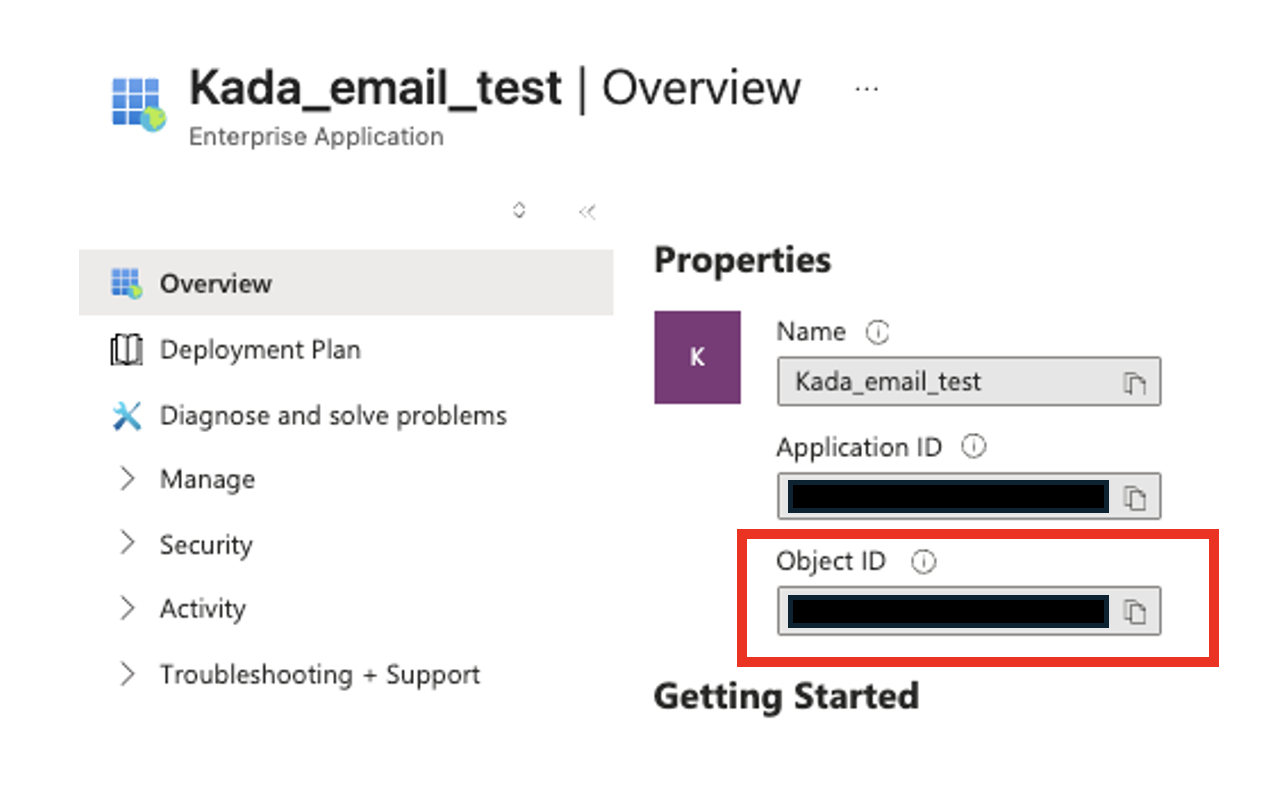
Service Principal’s Enterprise Object ID

The Object ID required here is the Enterprise App ID. Navigate to Microsoft Entra ID > Enterprise applications, select the application, and copy the Object ID from the Overview tab.
PowerShell Script
Replace the identifier with the Enterprise Object ID.
POWERSHELL
# Install Power BI module
Install-Module -Name MicrosoftPowerBIMgmt -Scope CurrentUser -Force

# Import the module
Import-Module MicrosoftPowerBIMgmt

 # Login with Fabric Admin/PBI Admin account
Connect-PowerBIServiceAccount

# Adding Service Principal to All Workspaces
Get-PowerBIWorkspace -Scope Organization -All -WarningAction Ignore |
    Where-Object {
        $_.State -eq "Active" -and $_.Type -eq "Workspace"
    } |
    ForEach-Object {
        $Workspace = $_

        $Body = @{
            identifier = "{SERVICE PRINCIPAL OBJECT ID}"
            groupUserAccessRight = "Member"
            principalType = "App"
        } | ConvertTo-Json

        try {
            Invoke-PowerBIRestMethod -Method POST `
                -Url "admin/groups/$($Workspace.Id)/users" `
                -Body $Body `
                -ErrorAction Stop
            Write-Host "✓ Added to: $($Workspace.Name)" -ForegroundColor Green
            Start-Sleep -Milliseconds 500
        } catch {
            $errorMessage = $_.Exception.Message
            if ($_.ErrorDetails.Message) {
                try {
                    $errorObj = $_.ErrorDetails.Message | ConvertFrom-Json
                    $errorMessage = $errorObj.error.message
                } catch {}
            }

            if ($errorMessage -like "*already*") {
                Write-Host "○ Already member: $($Workspace.Name)" -ForegroundColor Yellow
            } else {
                Write-Host "✗ Error on $($Workspace.Name): $errorMessage" -ForegroundColor Red
            }
        }
    }
The above method allows for adding users/applications to workspaces whether or not the Admin account is a member of the workspace.
The below Endpoint will remove the specified Service Principal from specified Workspace if required.
POWERSHELL
Invoke-PowerBIRestMethod -Method DELETE `
    -Url "https://api.powerbi.com/v1.0/myorg/groups/{WORKSPACE ID}/users/{SERVICE PRINCIPAL OBJECT ID}"