
Raising an issue from a Data Quality Test
K lets you raise an issue directly from a Data Quality Test.
The benefit of raising an issue this way is that it will automatically link the issue to the Data Quality Test and all data assets that have been linked to the Data Quality Test.
How to raise a new issue from a Data Quality Test
Open a Data Quality Test page. On the page:
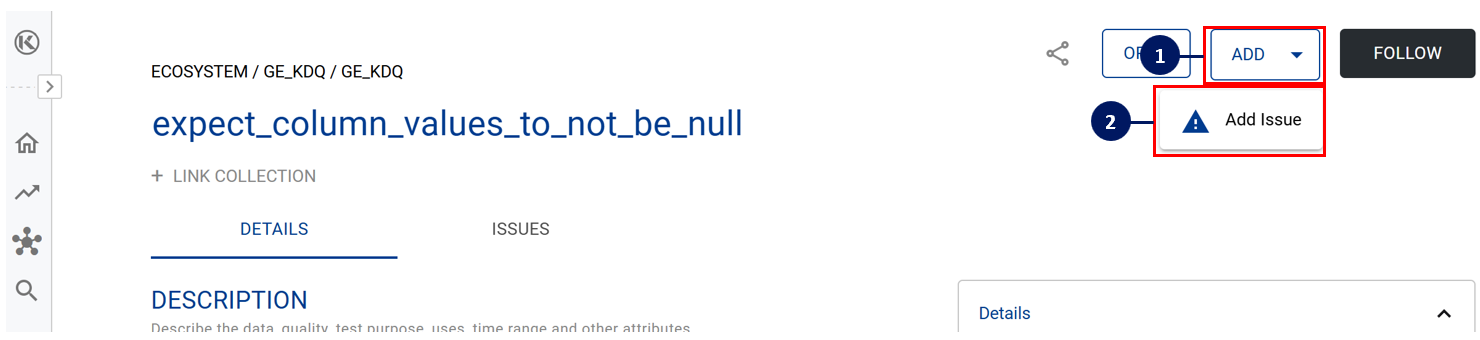
Click on the Add button
Click on the Add Issue button
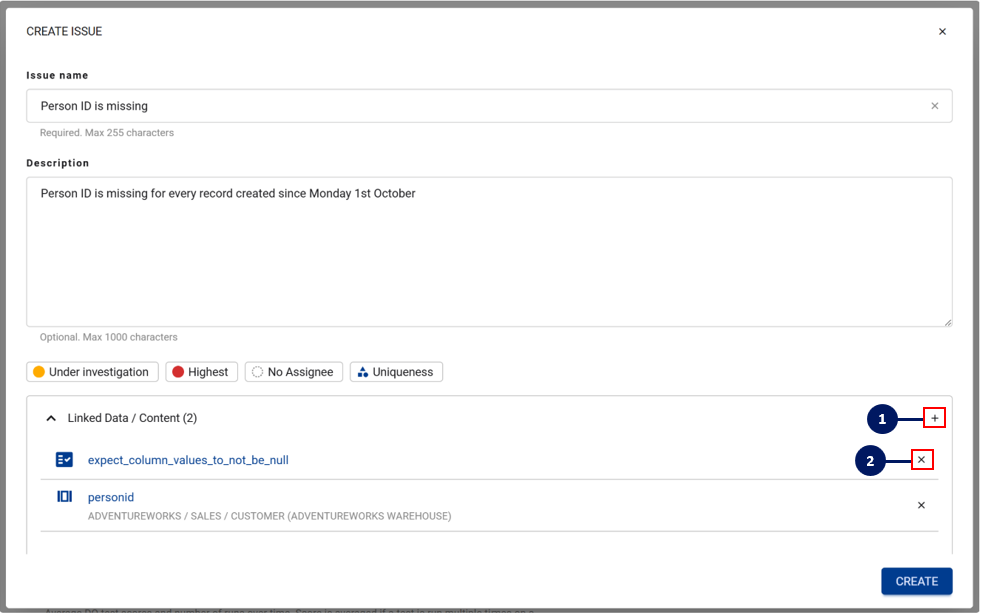
A pop-up box will open letting you create the new issue details
At the bottom of the issue box, all linked Data/Content that will also be linked to this issue will be displayed.
To add additional data assets, click on the + icon
To delete any data assets that should not be linked, click on the x icon
After you click Create, a snackbar will pop up confirming the new issue was created successfully


When you link an existing issue to a Data Quality Test, the issue is only linked directly to the test itself and not all of the underlying data assets that the Data Quality Test is linked to