
REMOVED IN VERSION 6.1
The Data Owner Dashboard and Data Steward Dashboard give each data owner and steward a focused view of the governance, quality, and usage metrics for the assets they are responsible for — without needing to dig through platform-wide reports.
The Owner and Steward Dashboards are accessible to Data Owners, Data Stewards, Data Governance Users, Data Managers, and Administrators.
Navigating to the Dashboard
-
Click the Insights icon in the left-hand navigation
-
Select Owner Dashboard or Steward Dashboard
-
Use the selector in the top-right to switch between different owners or stewards
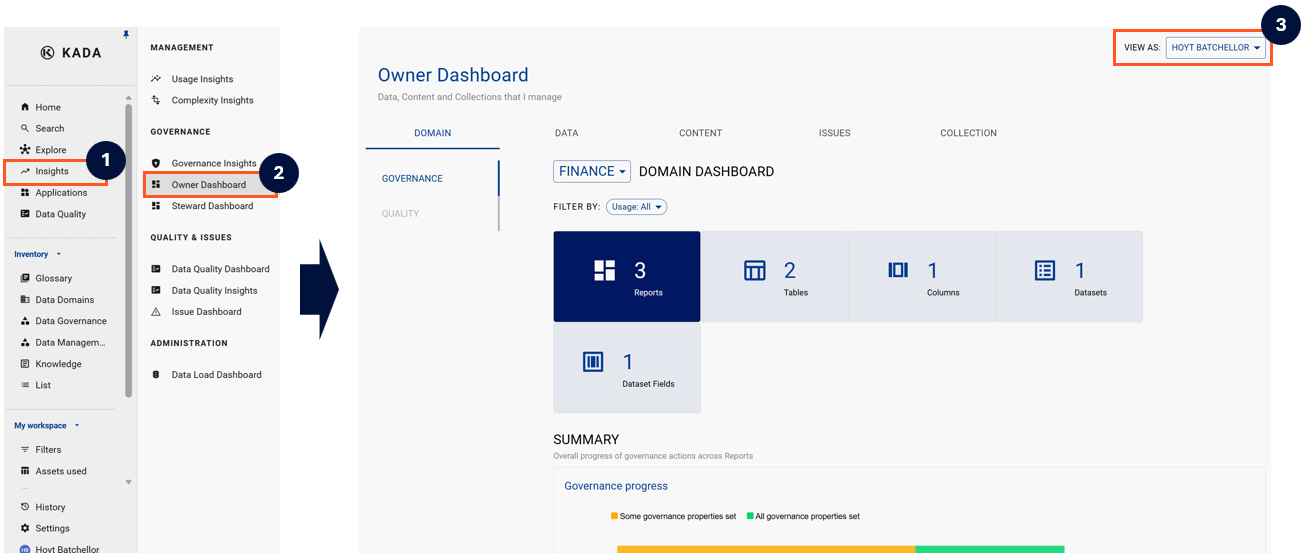
Using the Dashboard
The main data view lists all data assets you own (or steward). You can customise which columns are displayed to focus on the metrics most relevant to your governance responsibilities.
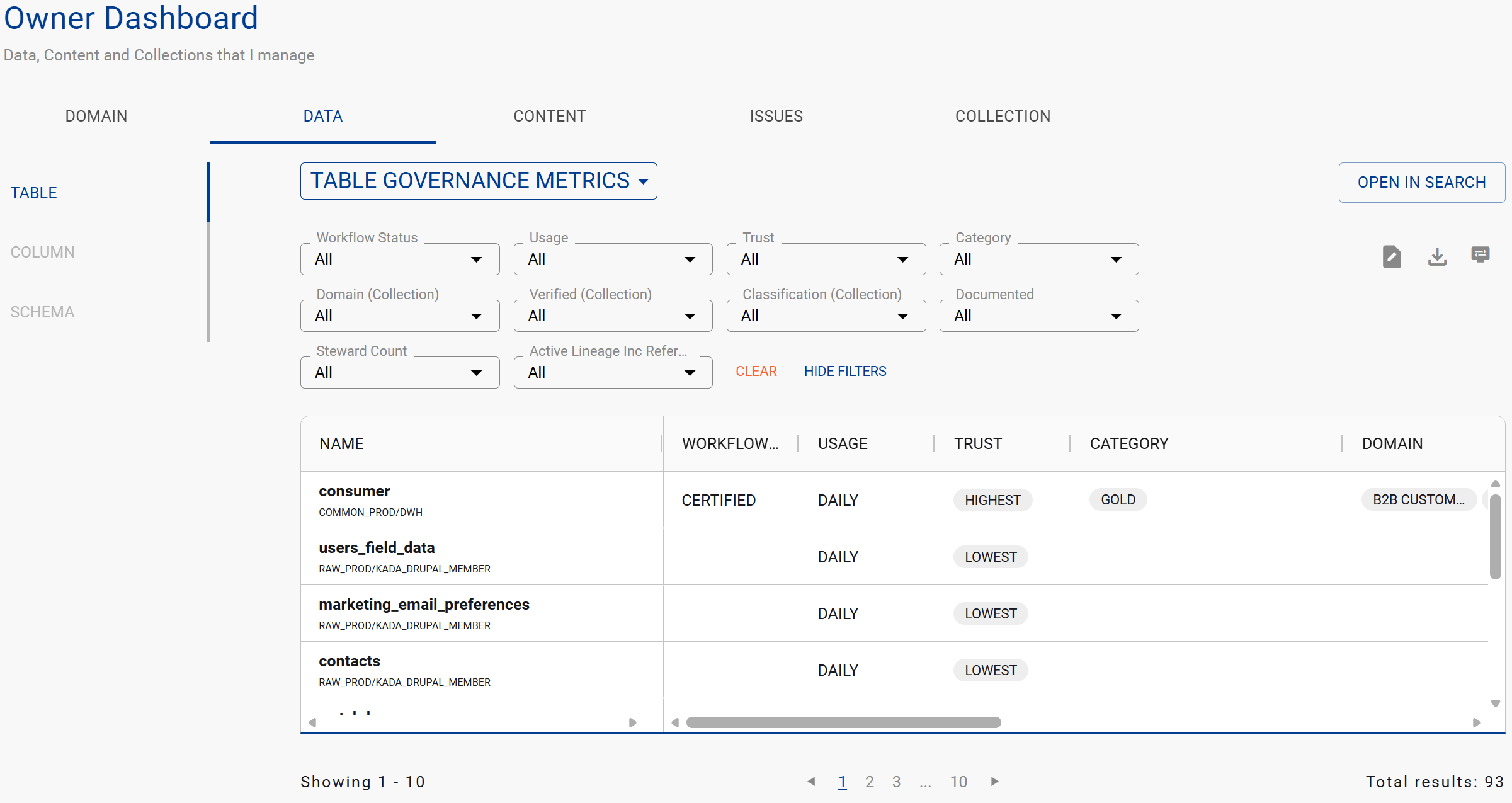
Key columns you can display include:
-
Trust Score — current score and trend
-
Usage frequency — how actively the asset is being used
-
Open issues — number of unresolved data issues on the asset
-
Documentation completeness — owners, descriptions, classifications
-
Last updated — when the asset was last modified or loaded