
Both Alias and Alternate Name help users find assets through search, but they work differently and serve different purposes.
-
Alternate Name applies to any asset type (tables, reports, terms, custom collection instances). It is displayed on the profile page and in search results, and is factored into the search algorithm. Each asset can have only one Alternate Name, and all languages are supported.
-
Alias applies to Terms only. It maps equivalent or informal words (e.g. "tv" → "television") to improve search matching behind the scenes. Aliases are only visible on the asset profile page — they do not appear in search results. Multiple aliases can be added per term, but only English is currently supported.
Alternate name
In K, any asset (table, report, term and custom collection instance) can be provided with an Alternate name.
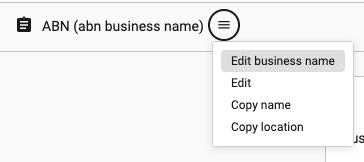
The alternate name is displayed on the profile page, in search results and is used in the search algorithm to find assets.
An asset can have only 1 alternate name. All languages are supported
When to use Alternate name:
-
When you want to display the name on the profile page and in search
-
When you want to use another language other than english
Alias
Alias only applies for Terms.
Alias is used to map equivalent words to enable better search results. For example if you have a term called “television”, you can add the alias “tv”, “telly” or “the tube”.
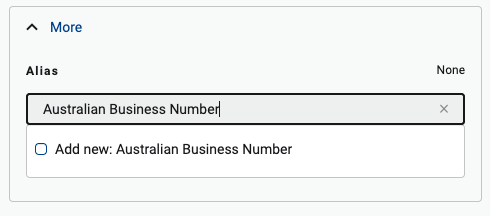
When users search for the word tv, the term television is matched and returned.
The alias is only displayed on the asset profile page. It does not appear in search, not does it appear in the search result. Only the mapped asset appears.
Alias does not currently support languages other than English
When to use Alias
-
For Terms only
-
When you want to enhance search results but do not want to display the alias value in search results or the asset page