
UPDATED IN VERSION 6.1
Both Known As and Alternate Name help users find assets through search, but they work differently and serve different purposes.
-
Alternate Name applies to any asset type (tables, reports, terms, custom collection instances). It is displayed on the profile page and in search results, and is factored into the search algorithm. Each asset can have only one Alternate Name, and all languages are supported.
-
Known As (aka Alias) maps equivalent or informal words (e.g. "tv" → "television") to improve search matching behind the scenes. ‘Known As’ are only visible on the asset profile page — they do not appear in search results. Multiple alias can be added, but only English is currently supported.
Alternate name
In K, any asset (table, report, term and custom collection instance) can be provided with an Alternate name.
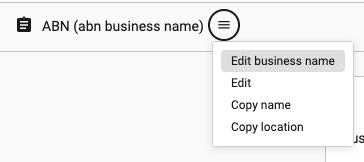
The alternate name is displayed on the profile page, in search results and is used in the search algorithm to find assets.
An asset can have only 1 alternate name. All languages are supported
When to use Alternate name:
-
When you want to display the name on the profile page and in search
-
When you want to use another language other than english
Known As (aka Alias)
Known As is used to map equivalent words to enable better search results. For example if you have a term called “television”, you can add the known as/alias “tv”, “telly” or “the tube”.
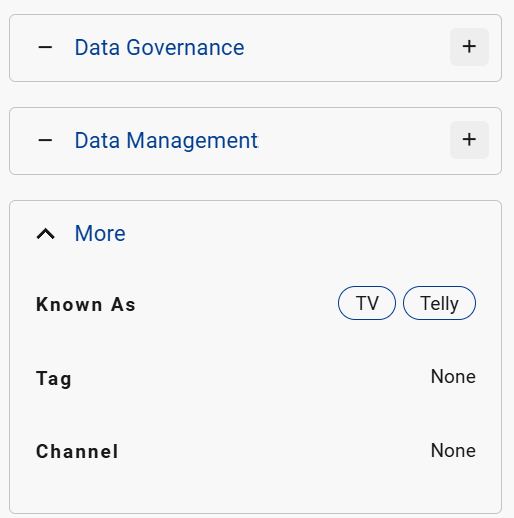
When users search for the word tv, the term television is matched and returned.
The Known As is only displayed on the asset profile page. It does not appear in search, not does it appear in the search result. Only the mapped asset appears.
Known As does not currently support languages other than English
When to use Known As
-
When you want to enhance search results but do not want to display the Known As value in search results or the asset page