Updated in Version 6.0
Every now and then you may need to upload a source file to the relevant K landing directory (e.g. dbt manifest file or testing a source load.
This page explains how to upload a file to a source folder in the K landing directory.
This function is restricted to K Administrators
Access to the K Landing Directory
Your K instance will be to be deployed on Azure or AWS. Check with KADA if you are unsure which cloud provider is used. For the purpose of this article, we will assume the instance is deployed on Azure
-
Request the SAS token for your K instance from KADA (via KADA Support Portal or emailing support@kada.ai)
-
Download and install the Azure Storage Explorer
-
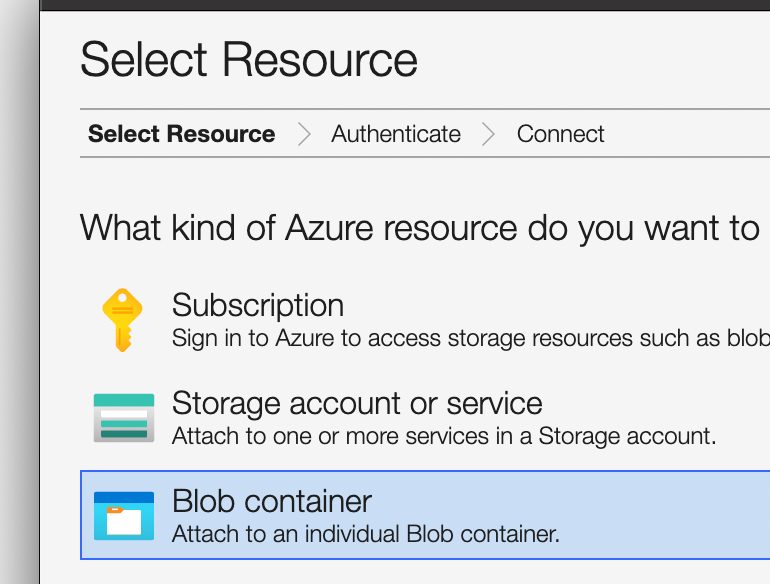
Select Blob Container
-
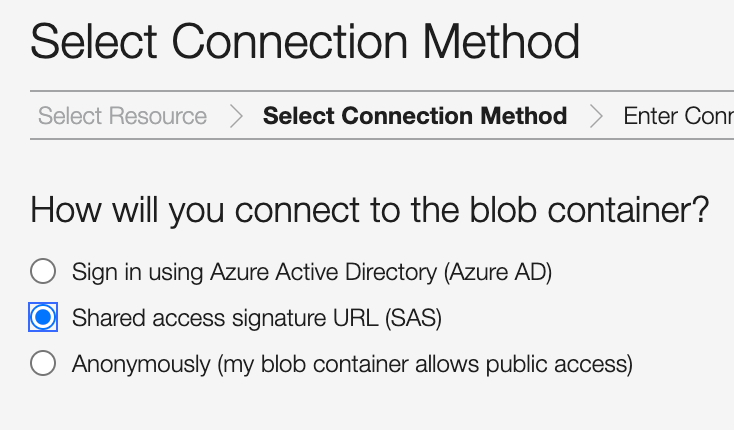
Select Shared access signature URL (SAS) and use the SAS token provided
-
Navigate to the landing directory for your Source and add the file to the source landing folder
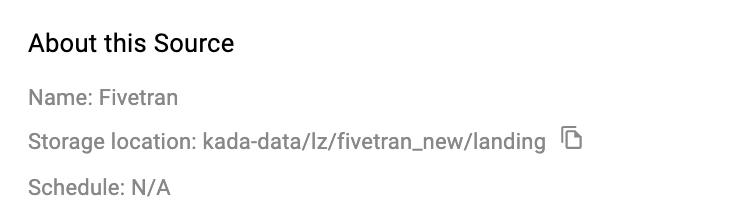
Finding the location of your source landing folder
-
Go to Sources
-
Click Edit on the Source
-
The location is displayed in the header (storage location)