
Managing users requires K Admin access
There are 2 types of users in K:
-
Onboarded: Users that log in and use K
-
Reference: Users that are found in logs that K is monitoring.
All users can be viewed in the User page (Settings → Users).
Note: Users that are given access to K but have not logged in will not be created in K and will not appear in the User page until their first log in.
Viewing all onboarded users
Onboarded users are registered in Keycloak.
You can view all users by clicking on
-
Settings
-
Customisation
-
Configure Local users (or Configure Single Sign On)
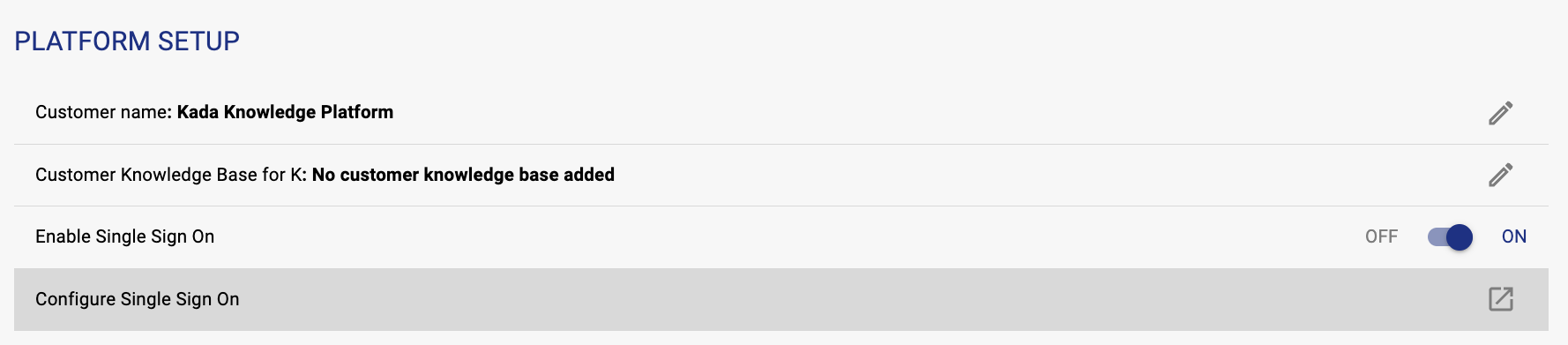
This will open the User management portal
Click on the user tabs to see all users onboarded.
In V.60 and below Just in Time provisioning is supported. This means users that are given access are created in K during their initial login.
Users that are given access but have not logged in will not be created in K.
Cleaning up onboarded users
In v6.1 SCIM will be supported. This will allow SSO to add and remove users automatically
For SSO enabled environments, users who have their access removed from SSO will not be able to log into K but will NOT be removed from K.
To clean up users from Keycloak:
-
log into the User management portal using the steps above.
-
Click on the menu button for a user and click Delete

Viewing all reference users
Reference users can be viewed in the User page.
You can view these users by clicking on
-
Settings
-
Users
-
Filter USER_TYPE to reference users
Cleaning up reference users
Users in K are not deleted until all of the usage associated with that user expires. K retains historical user details to support use cases such as historical analysis for data migrations or active data breach investigations.
There is no admin capability to delete a reference user.