Updated in Version 6.0
The Collection bounded Impact Assessment is an option within K’s Impact Assessment app that helps you understand how data and content assets within a collection are connected.
You can use it to:
-
Understand how data and content within a collection is used
-
Generate maps of the collection instance
How to run a Collection bounded impact assessment
Step 1) Select a collection instance
Go to the profile page to initiate the Impact assessment. In this case, go to the profile of a collection instance such as a Domain, Category and a Custom collection.
Step 2) Go to the Profile page and run an impact assessment
-
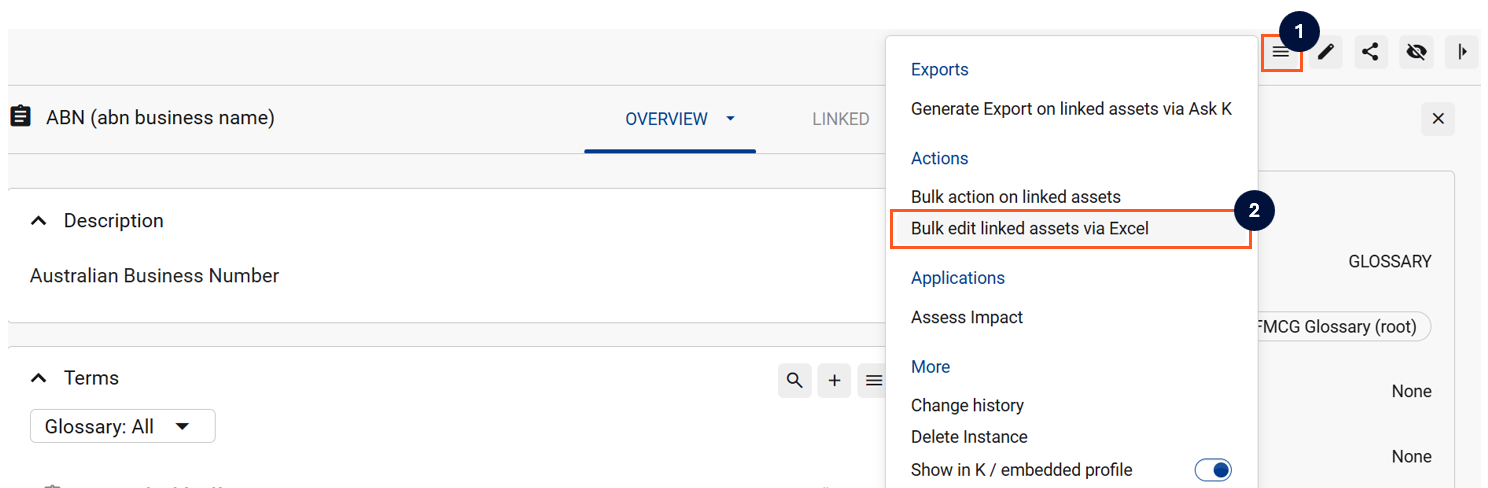
On the profile page for the user, team or list, click on actions. Select Assess Impact
Step 3) View impact assessments
-
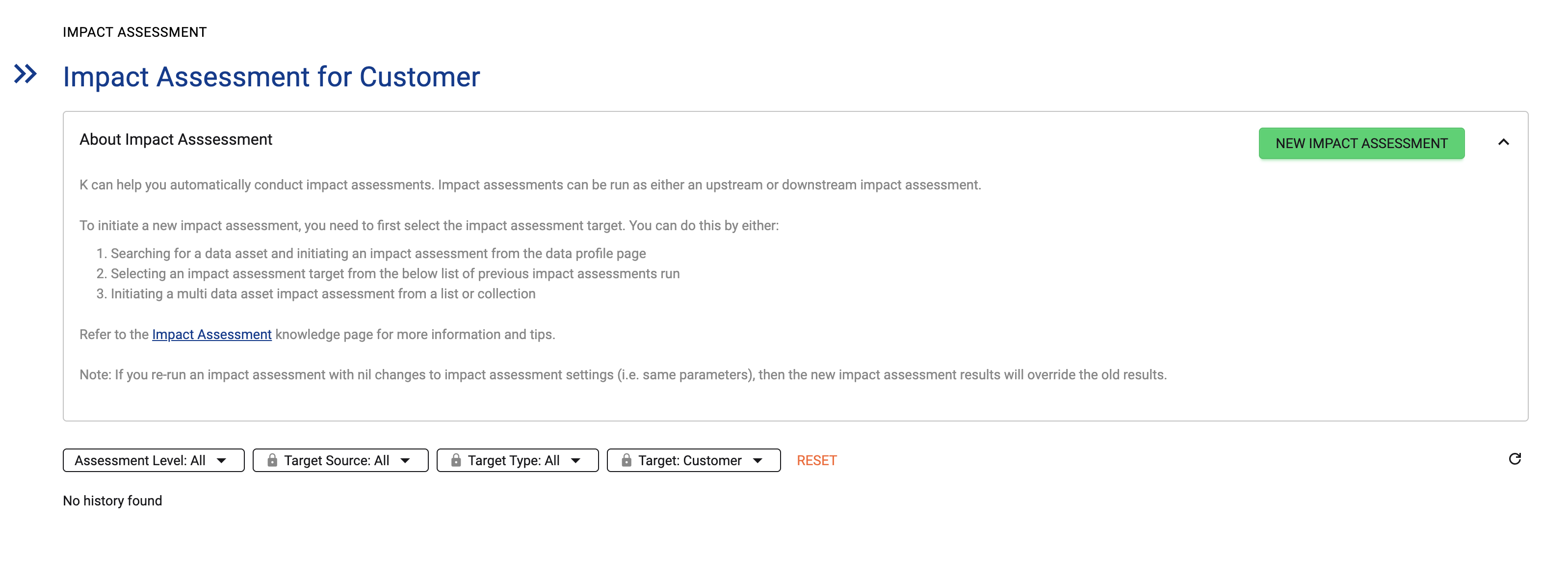
Select an existing assessment to review the results
-
If no previous impact assessments, select New impact assessment
Step 4) Run new impact assessment
-
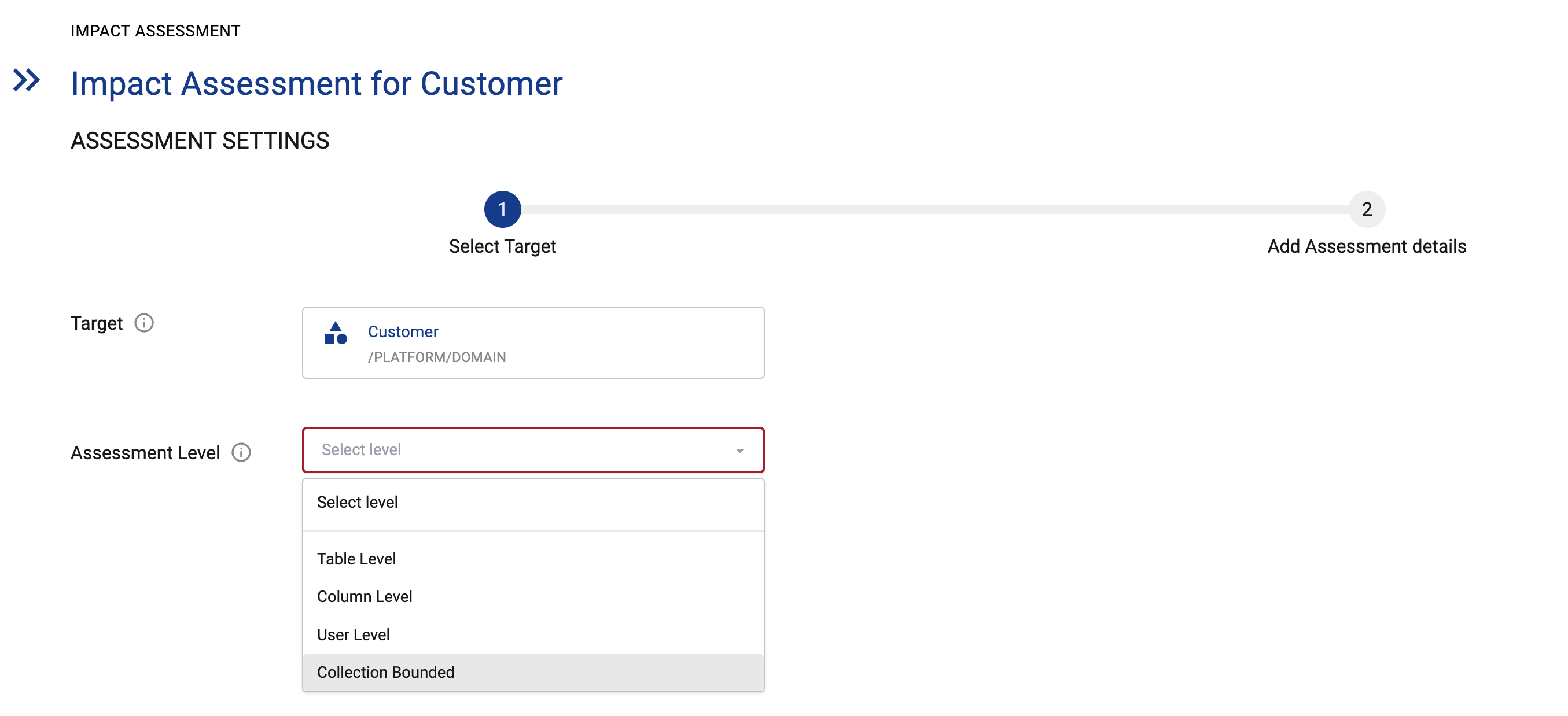
Set assessment level to Collection Bounded. Click Next
-
Note: You can run Table, Column and User level assessments from a Collection instance however they will produce different results. For example a Table level impact assessment will generate a downstream/upstream assessment using every table level asset linked to the collection.
-
-
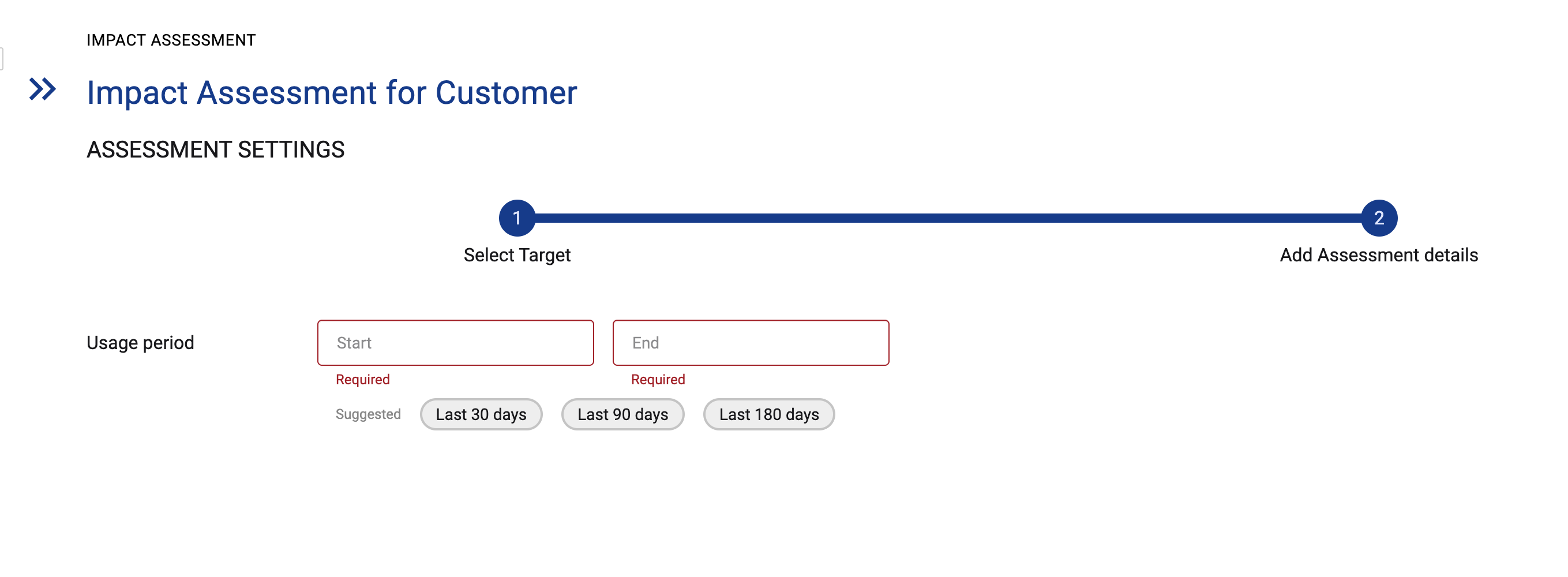
Set the usage period for the assessment. Click RUN
Step 5) View the assessment results
-
Once the assessment is ready, the status icon will turn to Green. Click on the row to open the assessment results


Step 6) Reviewing the assessment results
-
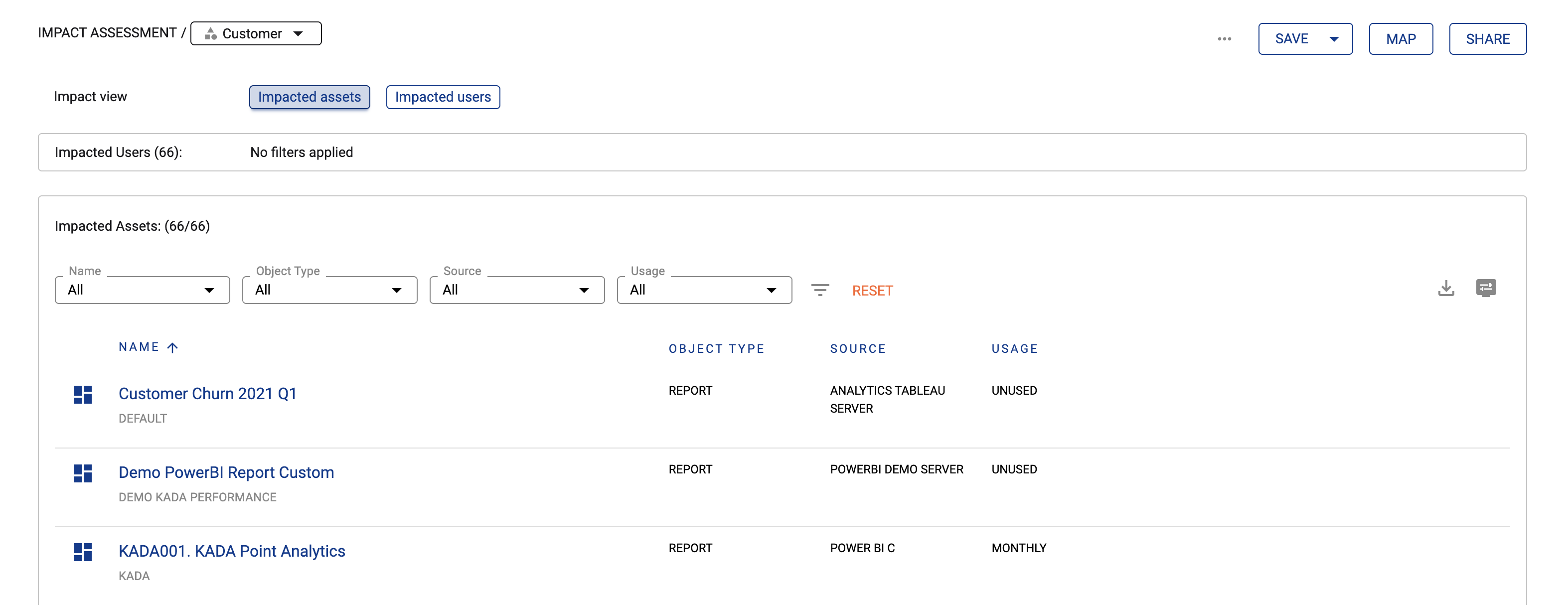
You can explore the details of the assessment using the results pane.
Step 7) Generating the collection map
-
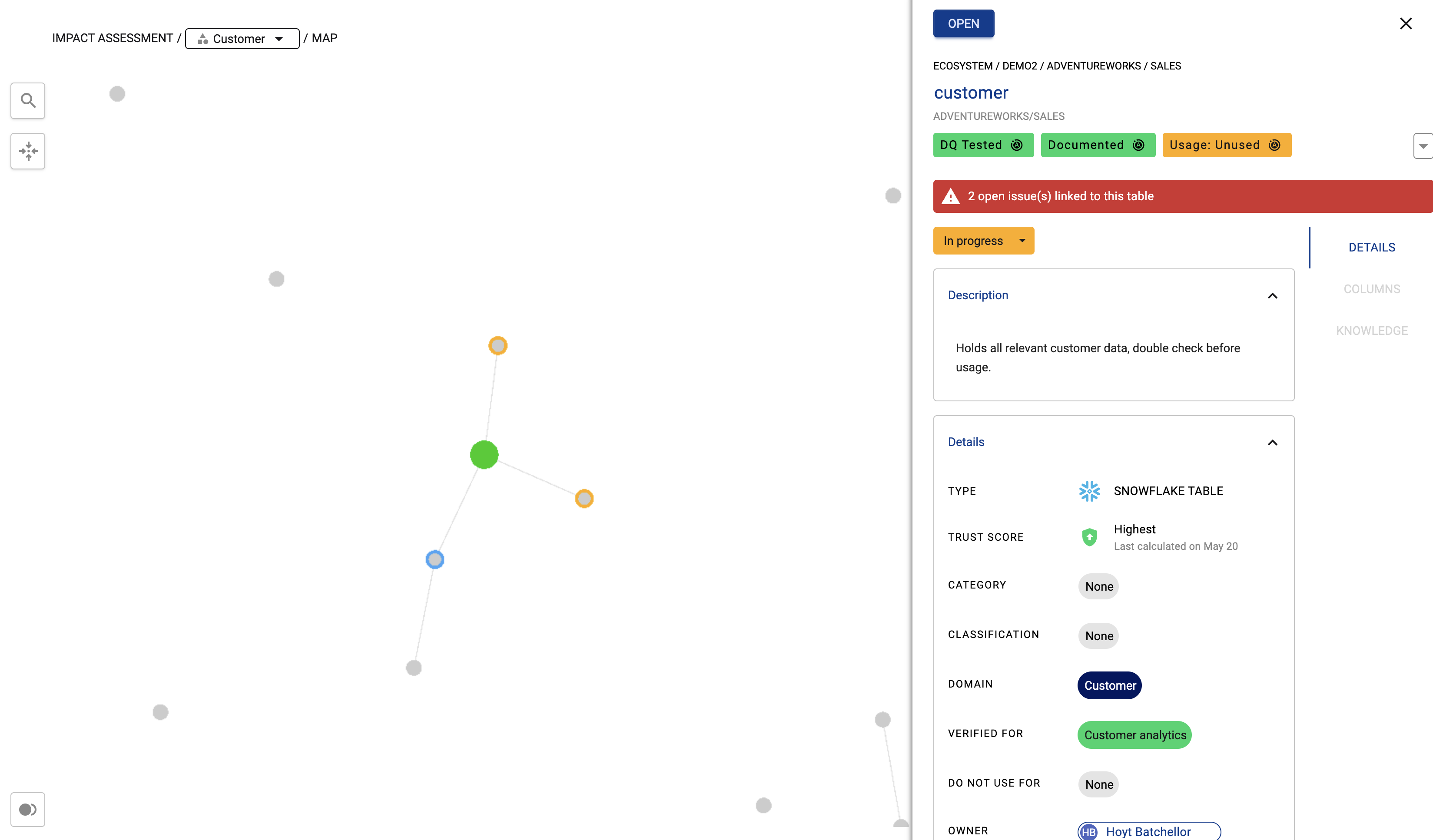
Select the map button to generate the map

-
The map will open in the same window.
-
Note: Since the map shows relationships between assets within the collection, if the assets are not connected by lineage, there may be gaps between the assets on the map
-
-
Click on the nodes on the map to see more details