
NEW IN VERSION 6.1
Data Governance and Data Management Collections are custom collections you create to organise concepts specific to your governance or management framework.
Unlike K's default built-in collections (Zone, Usage, PII), these are collections your team defines and structures yourselves.
Data Governance Collection vs Data Management Collection
These two types of collections operate in the same way.
These two categories have been created to help you easily group different types of collections for ease of:
-
Searching through the Inventory
-
Drilling for insights through the Collection Governance Dashboards
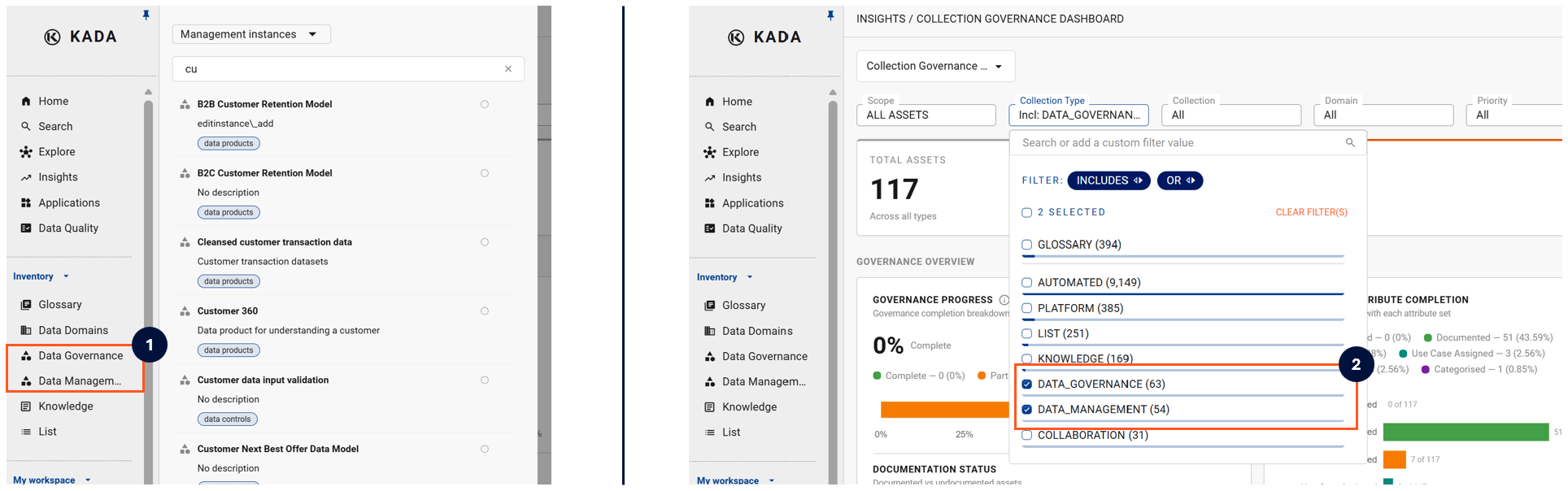
One way to consider how to use the two collection groups:
-
Data Governance Collections: Collections that help understand the importance of the data, manage risk and implementation of data governance policies.
-
Data Management Collections: Collections that help understand how the data is produced, managed and operated.
|
Data Governance Collection Examples |
Data Management Collection Examples |
|---|---|
|
Critical Data Elements (CDE) |
Environment |
|
Business Processes |
Storage Tier / Cost Centre |
|
Regulatory Scope |
Data Controls |
Creating a new Data Governance or Data Management Collection
Only Data Governance Managers, Data Managers, and K Administrators can create new collections.
-
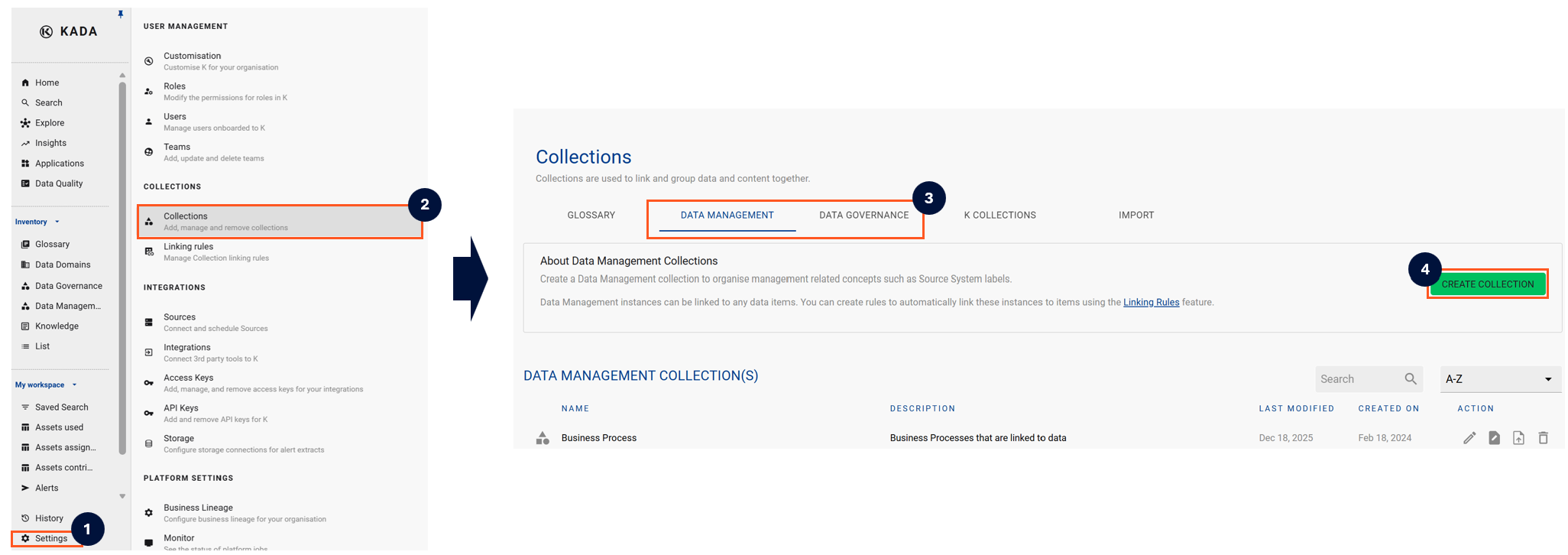
Click on Settings and in the pop-out menu, click Collections
-
Select either the Data Management or Data Governance tab
-
Click Create Collection
-
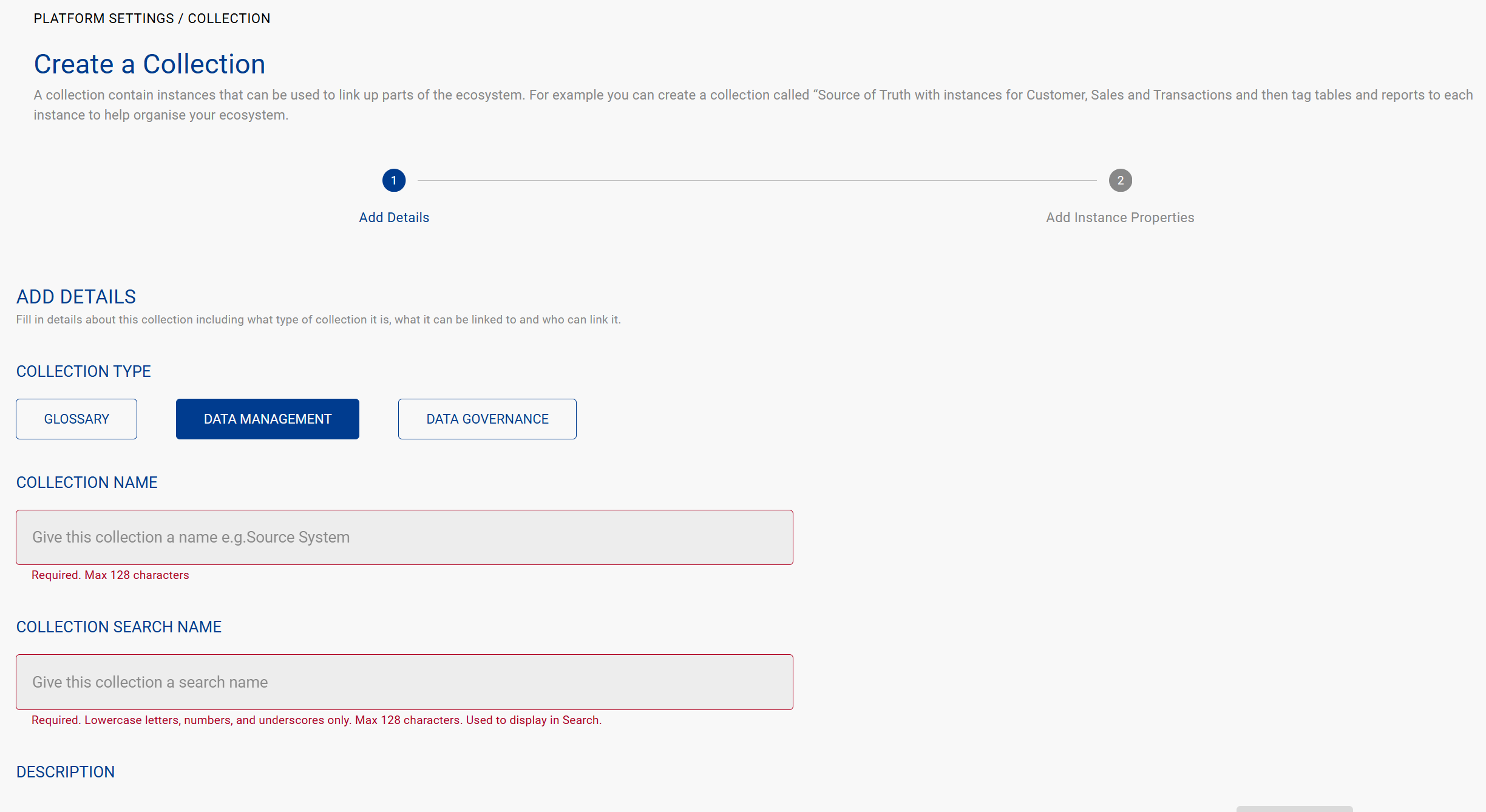
Complete the Collection information
-
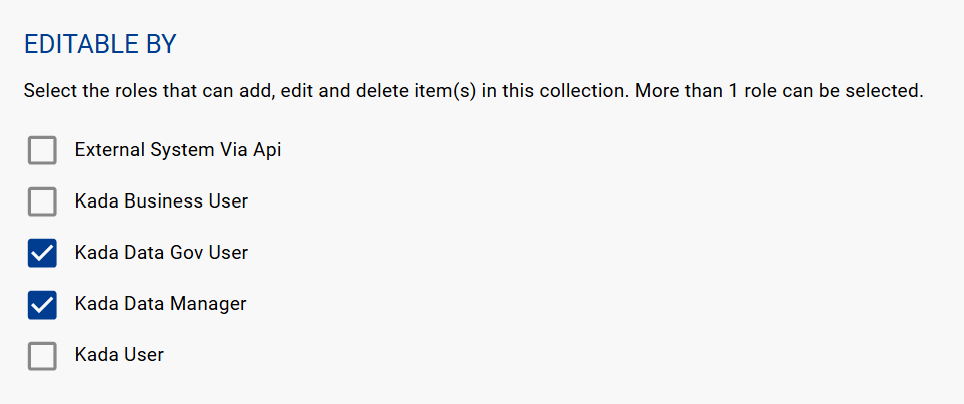
When you create a Data Governance or Data Management collection, you can choose which role can add, edit, or delete items (i.e. instances) in the collection.
-
Click Create