
Updated in Version 6.0
K Platform has the ability to detect PII data stored in tables and columns. Once the PII scanner is enabled by your K Administrator, data assets that have sensitive data detected will be linked to the PII Data Detected collection or PII Metadata Linked collection.
This page will walk you through how the PII Scanner and Collections work.
The scanner currently only works for data stored in Snowflake, Redshift and Oracle tables.
About the PII Scanner
The K PII scanner is a tool that automatically scans your data ecosystem for potential PII. The default configuration of the scanner detects the following types of PII:
-
Email address
-
Credit card numbers
-
Australian:
-
Phone numbers
-
Tax file numbers
-
Address
-
Driver Licence
-
Medicare number
-
Passport number
-
Australian Business Number
-
IP Address
-
K Administrators can customise the detector to locate additional PII that may be specific to your organisation's needs. K Admins should contact KADA for the PII Collector integration guide for more information.
The PII Scanner detects PII in two ways.
The first method scans the data located within your tables and columns for data that matches PII data formats. Where matches have been located to a sufficient degree of accuracy, the column is linked to the PII Data Detected collection.
The second method scans the metadata associated with your tables and columns (e.g. column name). Where PII types match the metadata, the column is linked to the PII Metadata Linked collection.
Searching for data assets with PII detected
The quickest way to search for data assets with PII is by adding the PII collections as additional search filters.
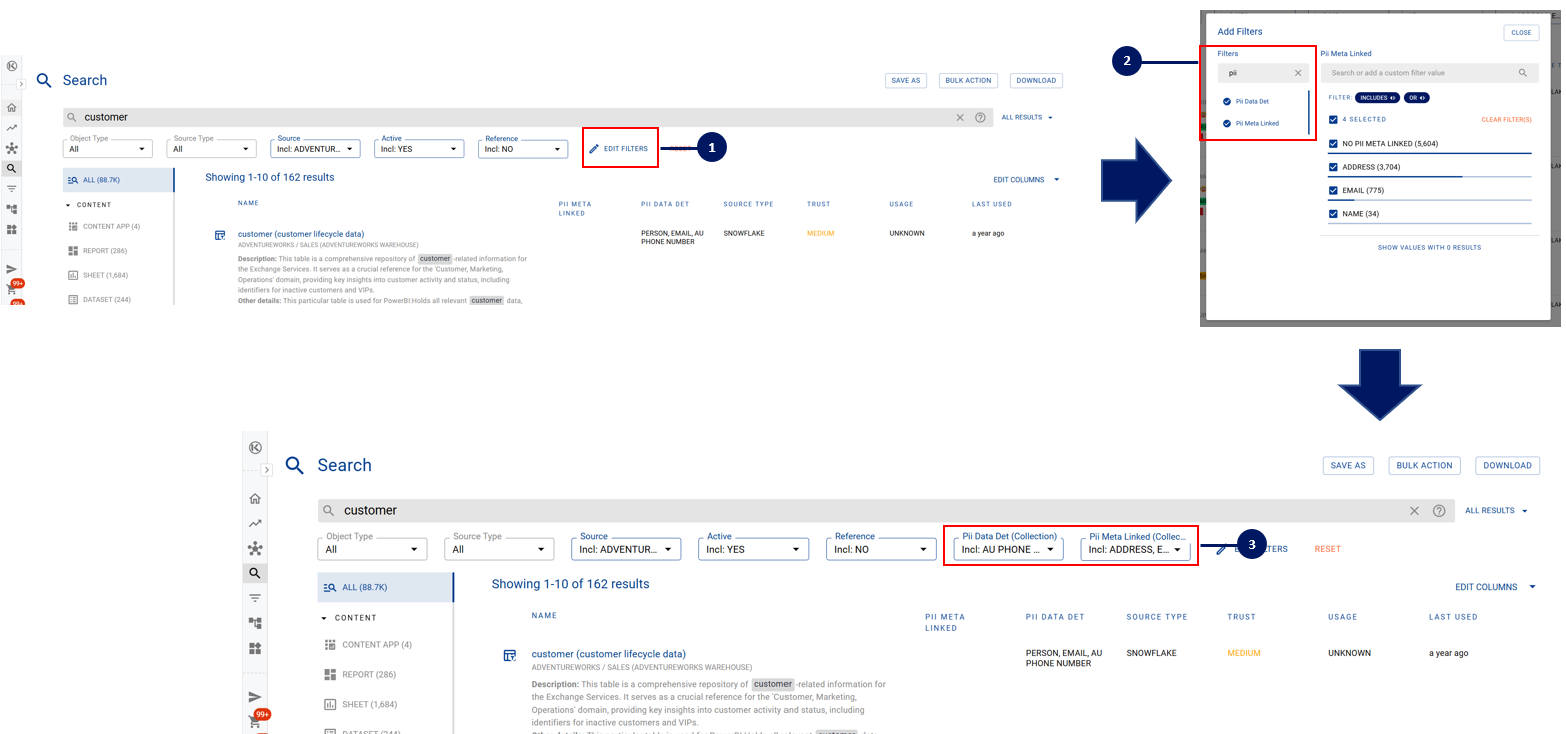
Once you have added the search filter, you can either save the filter settings or add the filtered data items to a list for quick access in the future.
Identifying when PII has been detected on the Data Profile page
There are three ways you can identify if PII has been detected on a Data Profile page.
Where the data asset is a table, the column that has PII detected it will be displayed in the profile side panel.
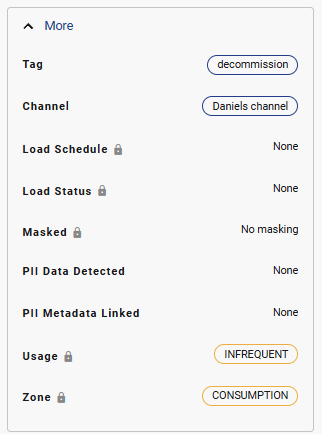
For the specific column within the table that PII has been detected, the Collection chip will also appear on the data profile page for that column.
Accessing the PII Collection
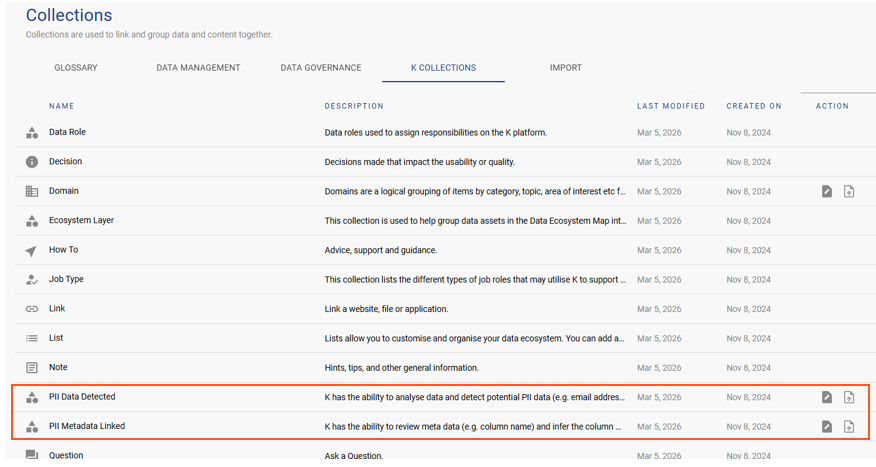
Data Governance Managers and Data Managers can navigate to the PII collection by clicking on:
1) Platform Settings → 2) Collections → 3) K Collections
🔒 Related: See Data Governance for K's full governance toolset, including PII detection alongside change management, impact assessment, and DQ integration.