
Glossaries are a type of Collection in K designed to help users understand the context and meaning of data items within your ecosystem.
K has integrated glossaries and linked terms in the Overview tab on the Data Profile page. This way, when you are accessing a data item, you can quickly navigate and see all the information about the data item on one page.
If you feel that a glossary term is missing, try asking a question on the Knowledge tab to source the information and help your company build its collective knowledge.
How Glossaries Work
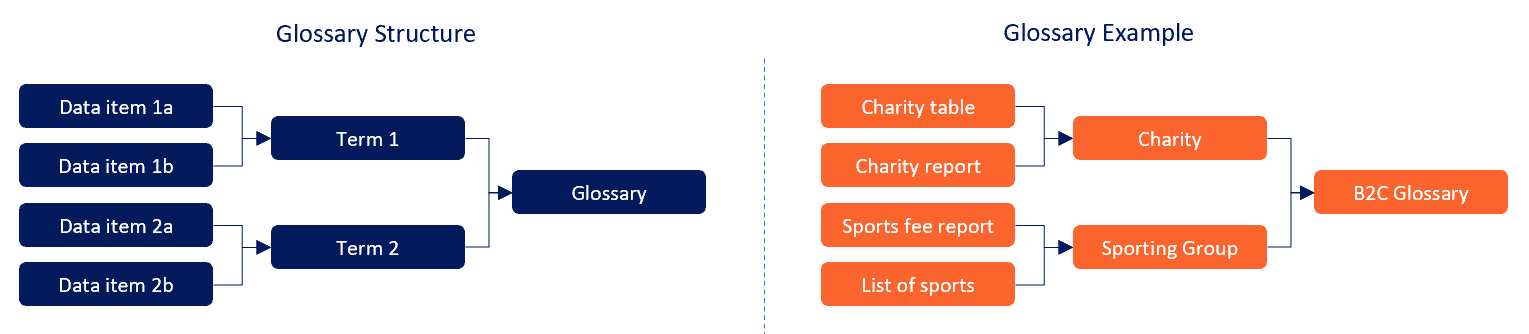
Glossaries are made up of terms.
-
A term can be linked to any data item.
-
Each term and glossary has its own detailed page where you can read its description, see who created it, and understand what it's connected with.
-
Within a glossary you can establish a hierarchy of terms to help you group related terms.
Glossary structure
Glossary Example
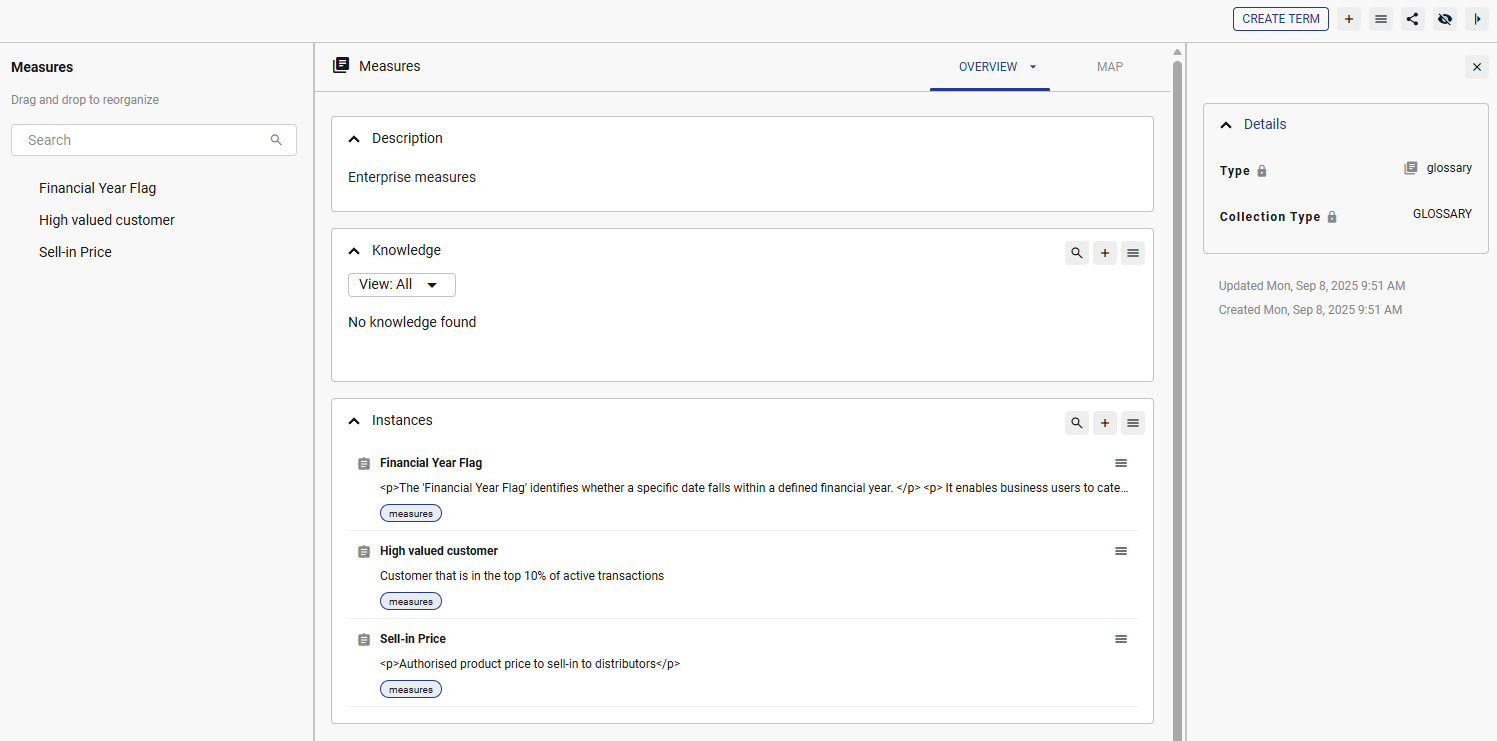
In the below example, the ‘Measures’ glossary currently has 3 terms.
Searching for a Glossary
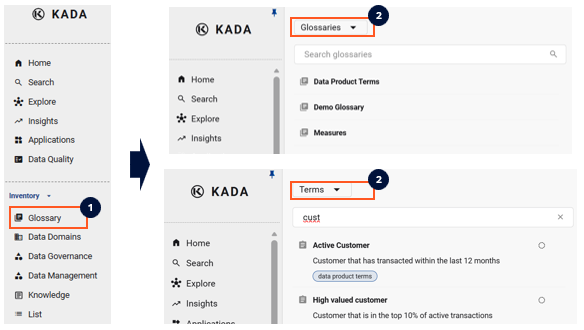
You can use the Inventory to search through Glossaries. By default, the inventory search setting defaults to the instance which can also be toggeled to the collection level.
Glossary Permissions
You can restrict who has the ability to edit or link glossary terms.
When you first create a collection (or glossary), you have the ability to set which roles are able to edit the glossary. After a glossary has been created, you can change the settings at any time via the edit button on the glossary page.
At the platform level, you can also specify which roles are able to link glossary terms to a data asset. This is set at the platform level and will apply to all glossaries.