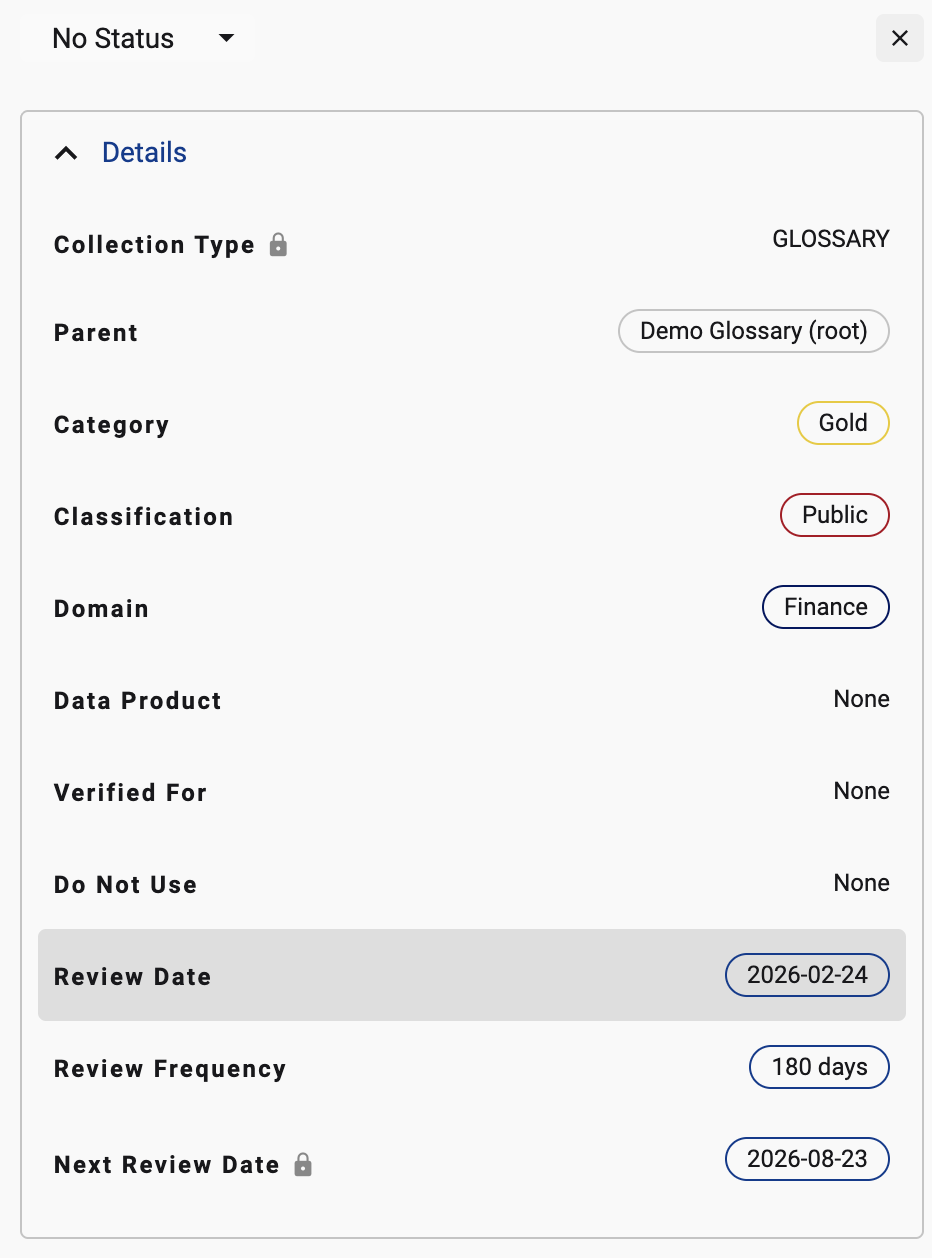
All collection instances and terms can be configured with a review date, a review period and a next review date.
Setting up the review date
Go to side panel on the Term Profile page
-
Under the Details panel, select the review date to set when the term was reviewed
-
Set a review frequency. Options include
-
90 days
-
180 days
-
365 days
-
-
Next review Date is auto calculated by adding the review frequency to the review date
Setting up a Upcoming Term review date alert
Using Search, you can configure a filter that can identify Terms with upcoming review dates. The out of the box options is
-
Next 7 days
-
Next 30 days
Save the search as a filter and configure an alert to send you (and others) the list of terms that have an upcoming review date

Setting up an Expired Term alert
Using the same approach as above, configure the search criteria to look for the next review dates that are in the past.
-
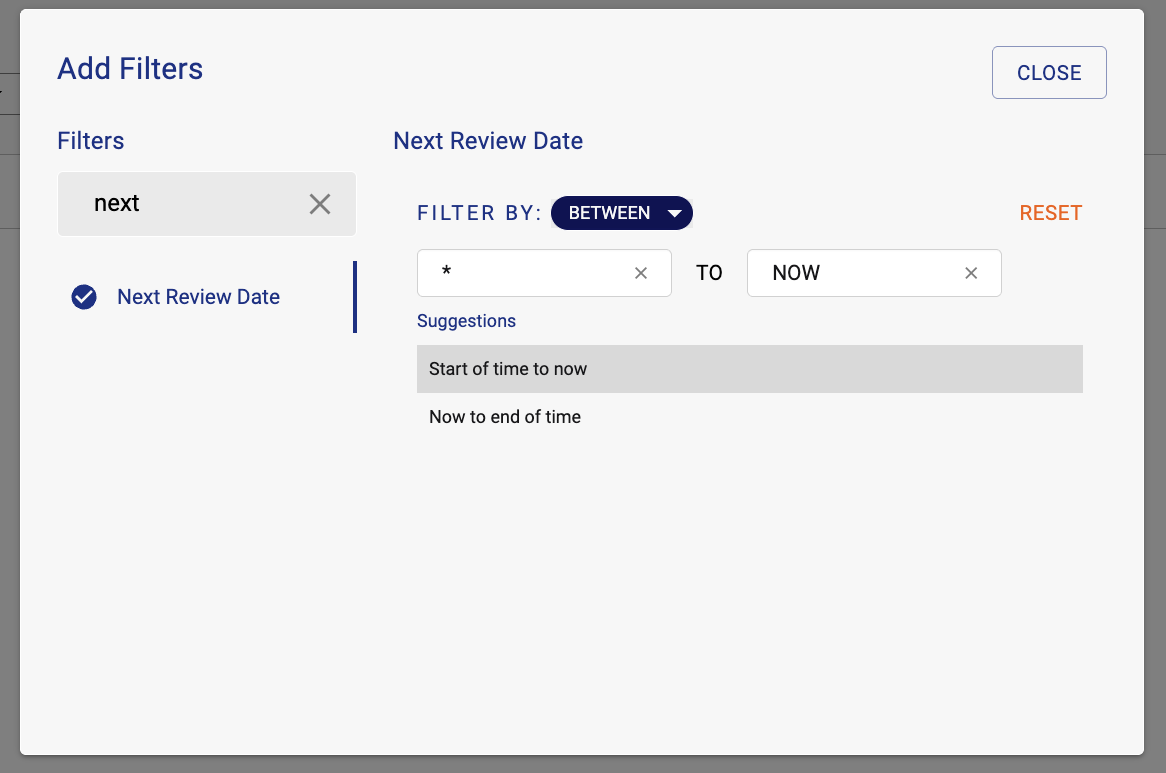
To find ANY expired terms, use the Between filter type on Next Review date.
-
Set the filter to Start of time to Now (to find all dates in the past).