
Updated in Version 6.0
K removes the manual nature of tagging data by automating the process through Linking Rules. This minimises data governance gaps and ensures consistent, accurate classification of data assets at scale.
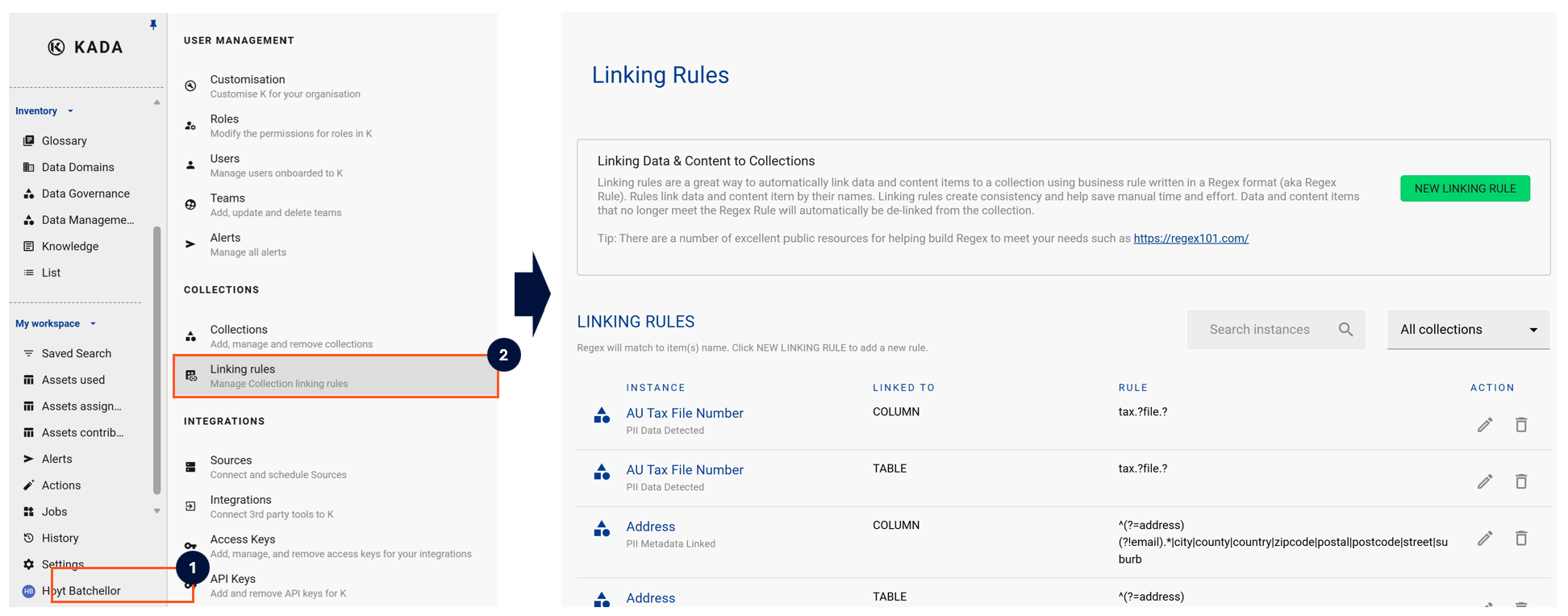
How It Works
Administrators configure tagging rules based on metadata attributes such as column names, data types, source systems, or PII detection results. When K processes an asset that matches a rule, the corresponding tag is automatically applied — no manual intervention required.
Examples of automated tagging rules:
-
Any column named
email→ apply tag:PII: Email -
Any table in schema
finance.*→ apply tag:Domain: Finance -
Any asset flagged by PII scanner → apply tag:
Sensitive
Benefits
-
Consistency — rules ensure the same tags are applied uniformly across assets, regardless of who created them
-
Scale — thousands of assets can be tagged in a single run, far faster than manual effort
-
Reduced governance gaps — new assets are automatically classified as soon as they are ingested into K
-
Auditability — automated tags are traceable back to the rules that created them
Related