
Updated in Version 6.0
This page explains how to change the default setting of displaying 10 search results.
The function to run column level lineage is available to Admins.
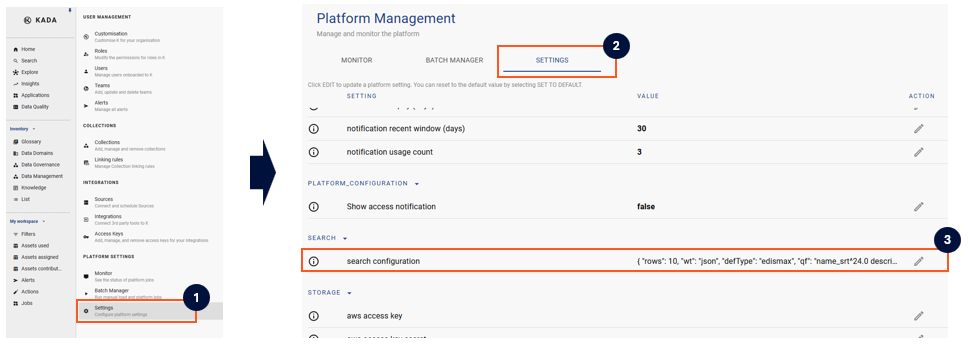
To change the number of search results displayed:
-
Step 1) Under Platform Settings, click on Settings u
-
Step 2) Click on the Settings tab
-
Step 3) Click the Edit icon next to Search Configuration
-
Edit the json “rows” to the preferred search result
-
Note: Changes to the search configuration will automatically apply to all search results in the platform.