
Updated in Version 6.0
This page explains how to add users that have been onboarded to K to an a team
This function is only available to Administrators and Data Managers
Step 1) Create a Team
-
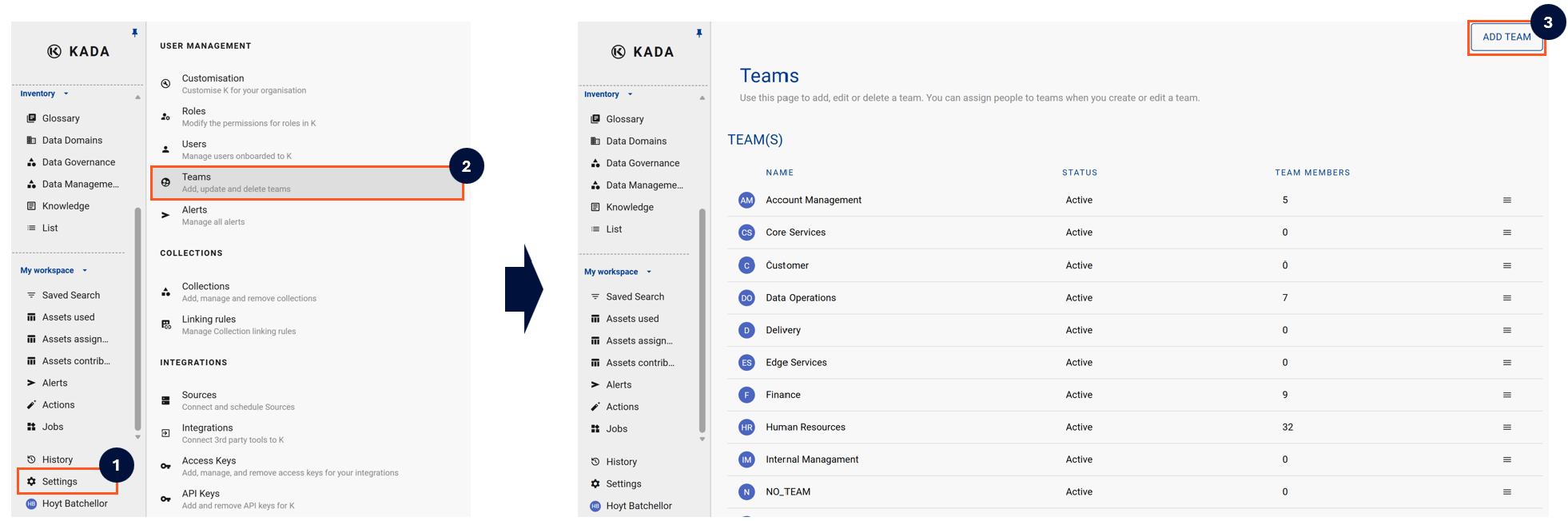
Select Settings in the side bar
-
In the pop-out side panel, under User Management click on Teams
-
Click the Add Team button on the top right hand corner of the page
-
Complete the form and click Create
Your Data Ecosystem only shows you what your immediate team is using. If you are part of a Parent team, it does not show you what the sub teams are using
Step 2) Add Users to a Team
-
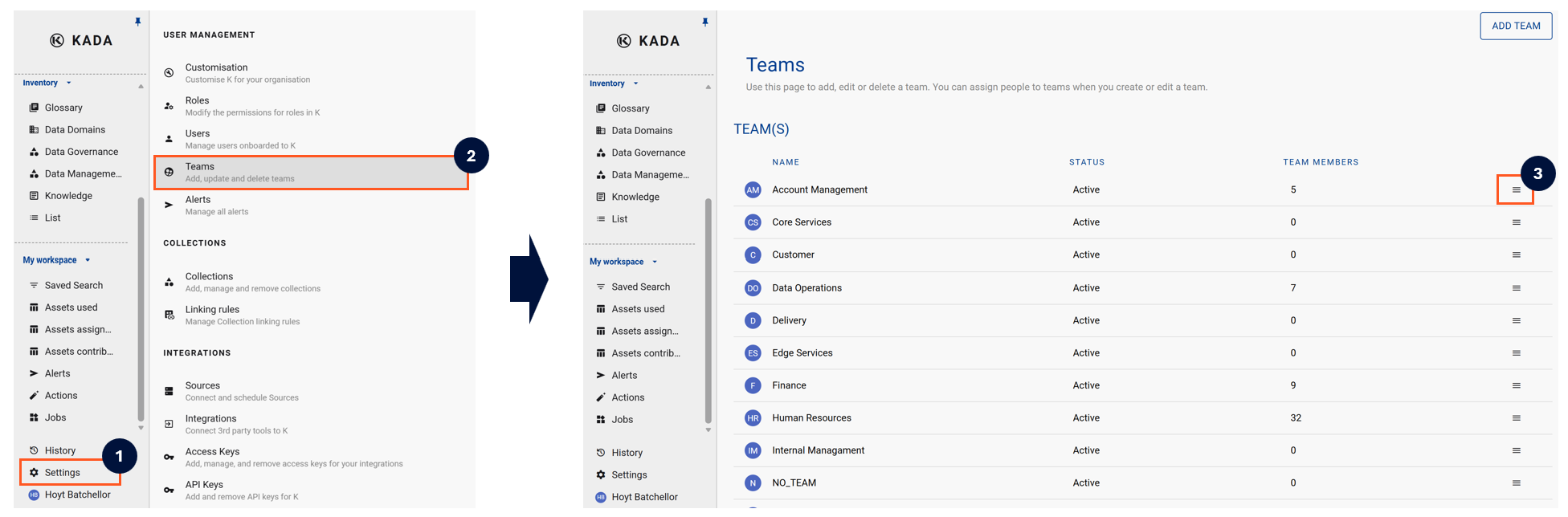
Select Settings in the side bar
-
In the pop-out side panel, under Administration click on Teams
-
Select the Team you want to add the user to
-
Select Members tab and search for the user to add
-
Click Save
Once a Team is created, team members can always go to their own user profile and add themselves to a team