
Updated in Version 6.0
Ask Kis a way to get answers to your questions such as who is using a set of reports. This page provides commonly asked questions that you can answer using Ask K.
Who are the monthly users of my reports
-
Go to Explore
-
Click on Reports
-
[Optional] Apply filters to narrow your scope of reports
-
Example: Filter out unused reports (Usage exclude Unused)
-
Example: Filter out reports based on workspace (Location exclude [Workspace ABC])
-
-
Click on Download
-
Select Custom extract using Ask K
-
Select Asset usage by Users template
-
Set the following configurations
-
Select per month
-
Select usage type: Read and Download
-
Select usage period: Last 90 days (or custom if you want go back further)
-
-
[Optional] Add any other asset details to the export
-
Click Generate export
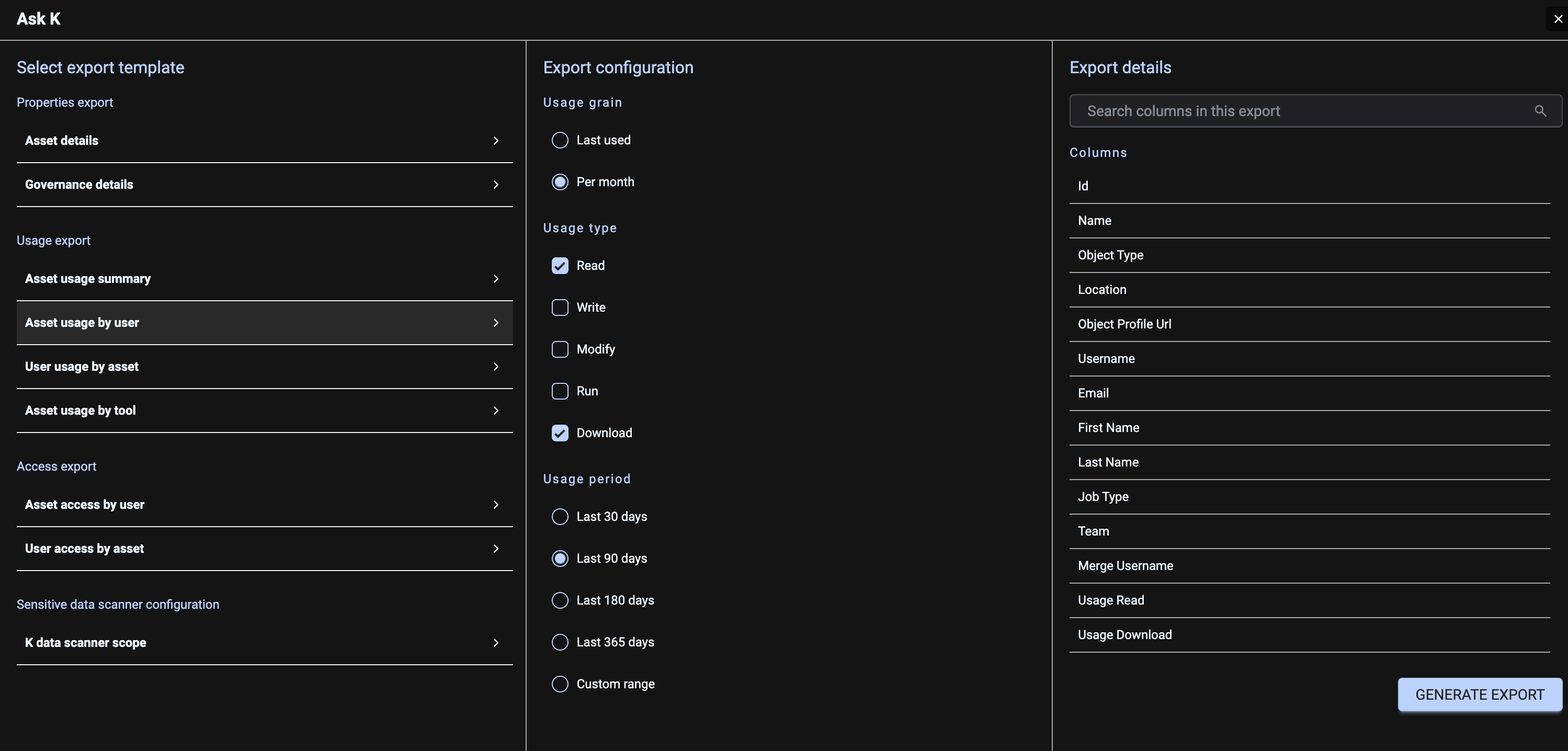
The report generated will provide a monthly breakdown of all reports and their users.
To see who is using each report per month, consider pivoting the data in Excel.