
UPDATED IN VERSION 6.1
Ask K is a self-service feature that answers questions about your data ecosystem.
Instead of querying databases or compiling reports manually, data managers, governance users, and administrators can select from pre-built question categories to get instant answers — and schedule those answers to be delivered automatically.
How to use Ask K
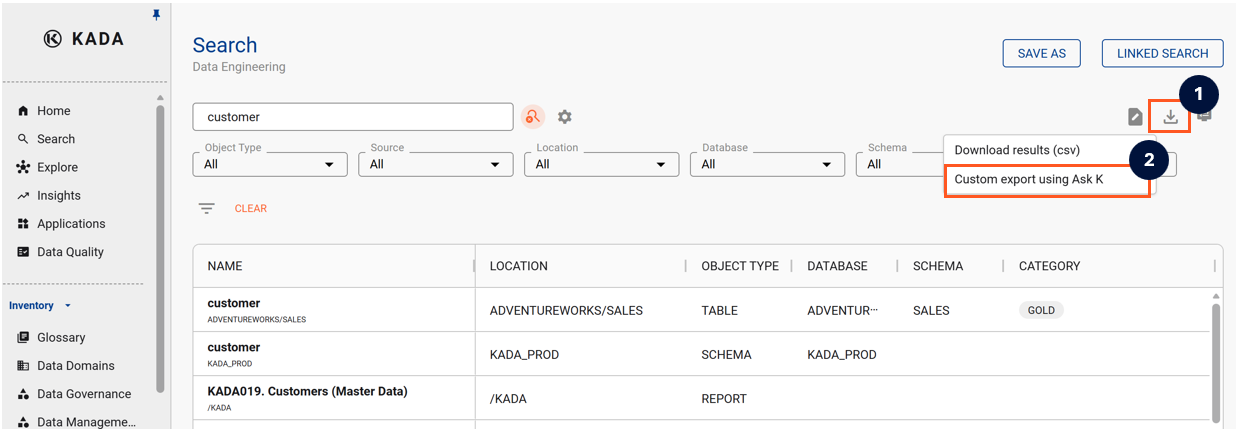
Step 1) Ask K is a targeted export query. Using Search and the filters settings, narrow down the search results to the data assets you want to perform the Ask K query on.
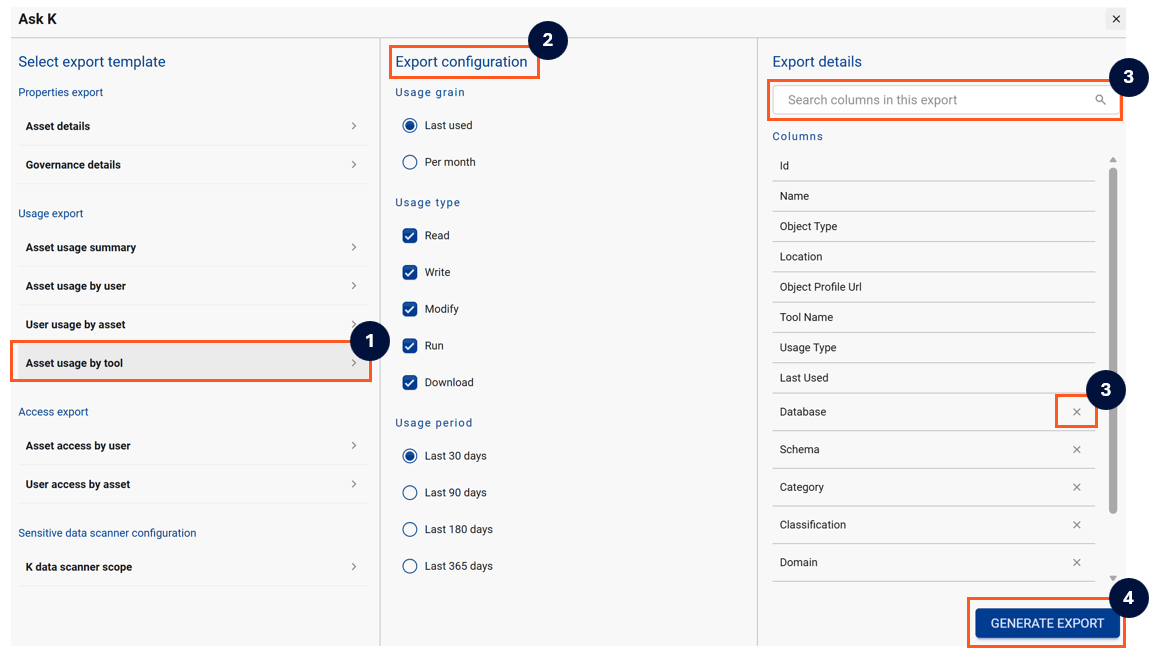
Step 2) Refine your Ask K export and then click Generate Export
-
Choose your preferred template
-
Customise the export configuration
-
In the excel export, you can choose to add additional columns, or for the non-mandatory columns, click on the 'x' to remove the column
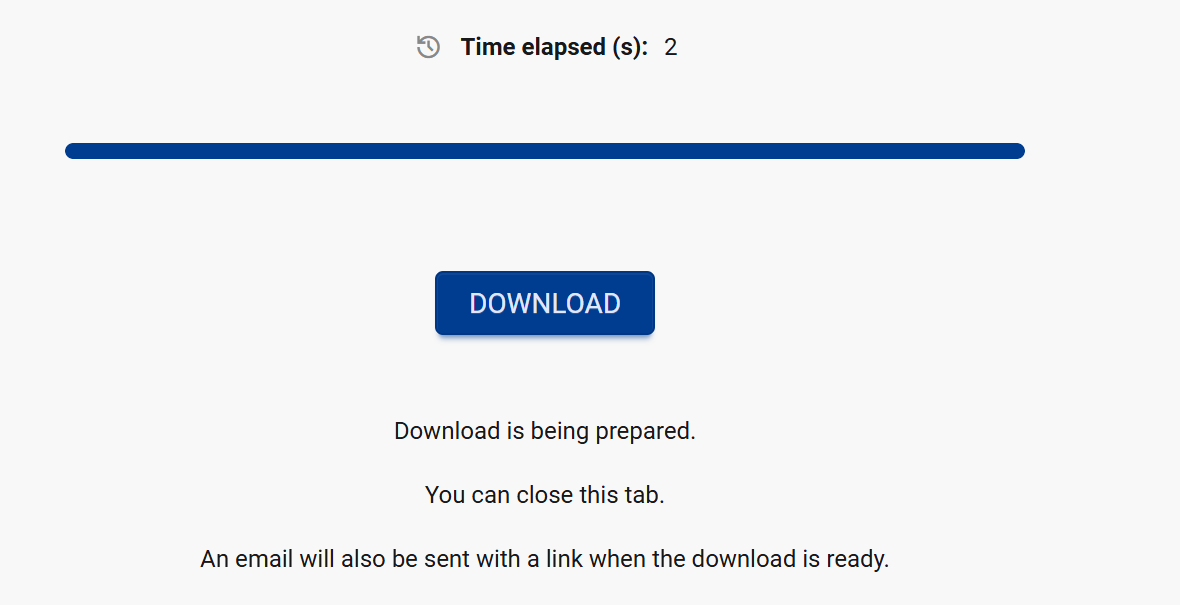
Step 3) Click Download to save your report. If your report takes a while to load, an automated email will be sent to you when your export is ready to download.
About the different Export Templates
Ask K has 7 question categories, each covering a different area of your data ecosystem:
|
Category |
Export Template |
What you can answer |
Applicable to |
|---|---|---|---|
|
Properties export |
Asset details |
A quick way to easily extract a list of properties about the data assets. The default list of properties include:
Add any additional properties to the export. |
All assets |
|
|
Governance details |
A template with key governance properties included e.g. Owner, Classification, Domain, and Verified User Cases |
Data, content and collection assets |
|
Usage exports |
Asset usage summary |
Key usage stats for each asset include number of usage read, writes, modify, run, and download over a specified period |
Data and content assets |
|
|
Asset usage by user |
A list of users that has read, write, modified, run or downlaoded asset during a specified period Applicable to data and content assets |
Data and content assets |
|
|
User usage by asset |
A list of data assets for each user has read, write, modified, run or download during a specified period |
Users |
|
|
Asset usage by tool |
A list of tools that reads, writes, modifies, runs or downloads for each asset Applicable to data and content assets |
Data and content assets |
|
Transformation exports |
Upstream load logic |
Export code responsible for loading data assets i.e. how the data gets created or populated. Use this when you need to trace where the asset’s data originates from upstream sources |
Data and content assets |
|
|
Downstream consumption logic |
Export code that reads or consumes data assets. Use this when generating semantic models as it shows how the asset is actually used downstream |
Data and content assets |
|
Access exports |
Asset access by user |
A list of users that has access to, and their usage of, each asset Applicable to data and content assets |
Data and content assets |
|
|
User access by asset |
A list of assets that each user has access to and their usage details for each asset Applicable to users |
Users |
|
Sensitive data scanner configuration |
K data scanner scope |
List of tables that the PII Sensitive data scanner is configured to monitor |
Tables only |