
Updated in Version 6.0
K uses a unique algorithm to calculate a Trust Score for every data asset. The Trust Score serves two purposes: it guides data users toward reliable, well-documented data, and it helps data managers identify which assets need attention to drive adoption and trust.
Where to find the Trust Score
The Trust Score is displayed in the right-hand Details panel on every Data Profile Page.
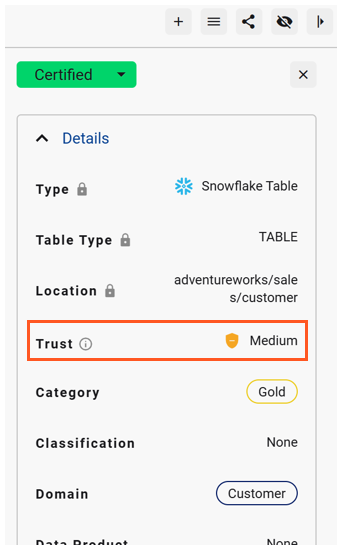
Clicking on the trust score, you will see the trust score details
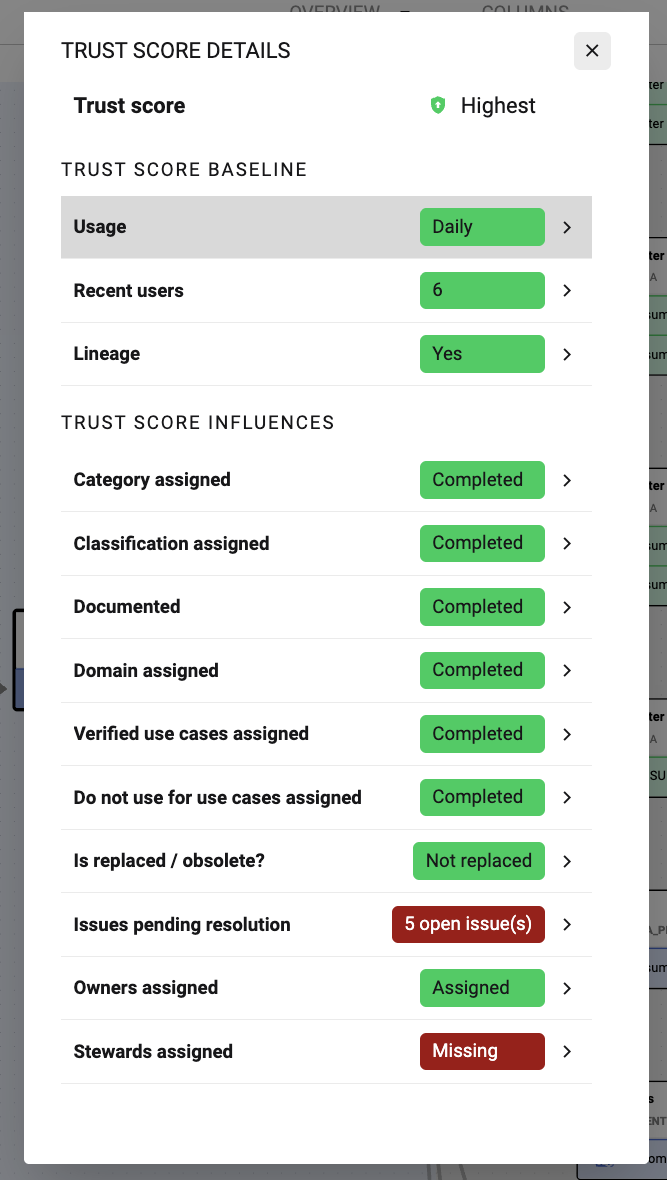
How the Trust Score is calculated
The Trust Score is calculated using a range of attributes. Each attribute can boost or penalise the score:
Trust score baseline: Components that are captured through observability
|
Attribute |
Effect type |
Effect on score |
|---|---|---|
|
Usage frequency and variety |
Boost |
The more varied and frequent the usage across the organisation, the higher the score |
|
Type of users |
Boost |
Usage by a variety of user types (business users, data workers, etc.) boosts the score |
|
Lineage availability |
Boost |
Known provenance (upstream lineage) boosts the score |
Trust score influences: Attributes that are contributed through Governance and Quality related actions
|
Attribute |
Effect type |
Effect on score |
|---|---|---|
|
Category assigned |
Boost |
Properly categorised data improves trust by providing context about the type of data |
|
Classification assigned |
Boost |
Properly classified data improves trust by providing context about the treatment of the data |
|
Documentation completed |
Boost |
Description adds context that supports greater understanding, thus boosting trust |
|
Domain assigned |
Boost |
Assets assigned to a data domain receive a score boost |
|
Verified use cases / Do not use for assigned |
Boost |
Assets verified for a business use case receive a significant boost, even with moderate usage |
|
Replaced / Obsolete assigned |
Penalty |
An obsolete or replaced asset should not be trusted. The trust score is heavily penalised |
|
Open issues |
Penalty |
Open data issues penalise the Trust Score until they are resolved |
|
Owner assigned |
Boost |
Assigning an Owner has a boost to trust score |
|
Steward assigned |
Boost |
Assigning an Steward has a boost to trust score |
How to improve an asset's Trust Score
If you are a data owner or governance manager looking to improve Trust Scores across your data estate, focus on:
-
Adding or verifying descriptions for key assets
-
Assigning data owners and stewards to unclaimed assets
-
Linking assets to collections and domains
-
Verifying assets for confirmed business use cases
-
Resolving open data issues
Click on each trust score component to know more
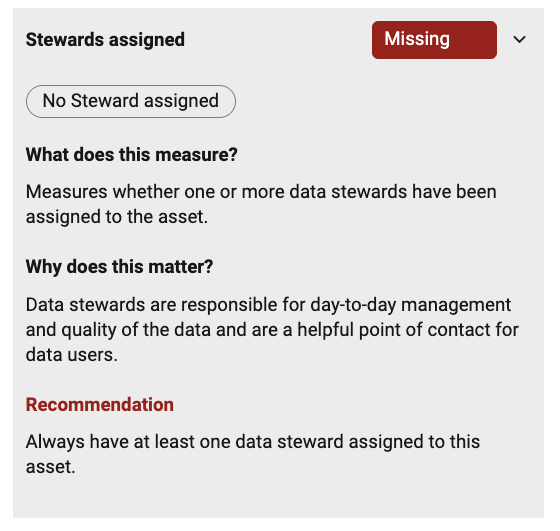
💡 Use Governance Insights in Dashboards and Insights to identify assets with low Trust Scores across your data estate so you can prioritise remediation work.
Customising the Trust score
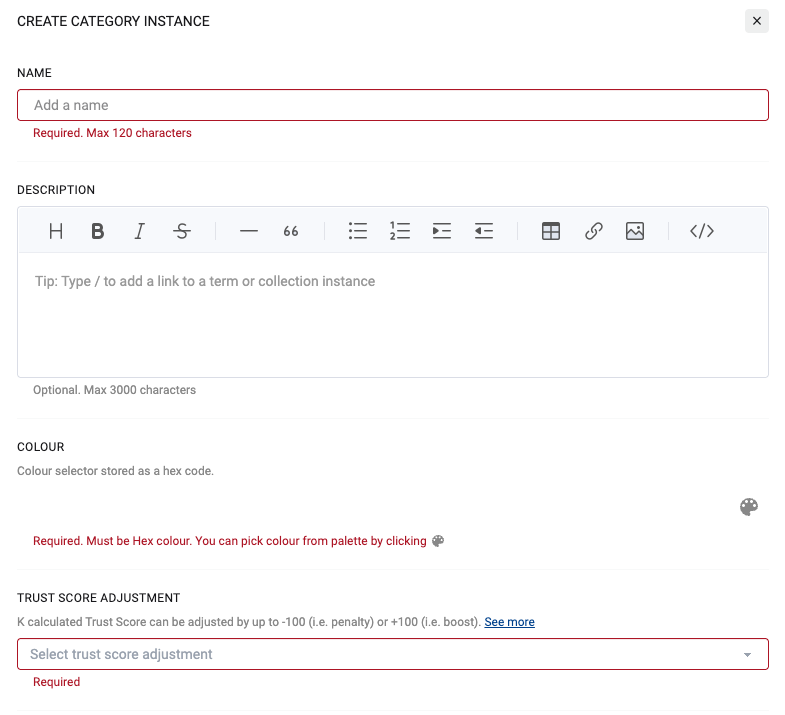
You can override the trust score by adding a boost or penalty to the category.
-
Click on Settings
-
Go to Customisation
-
Go to Configure Data & Analytics Content Categories

-
Create (or edit) a category.
-
Edit the trust score adjustment to boost or penalise the trust score for each asset assigned to the category
-
For example set the adjustment to +100 for “Gold” reports
-
-
Click Save
Now when you assign the category to an asset (e.g. Report), it will have its trust score affected.
Trust score is calculated Daily (as part of the Daily job).
To see it immediately, go to Settings, Batch Manager and run Daily.