
Updated in Version 6.0
K's personalisation features ensure that each user's experience is tailored to the data they work with. Rather than navigating a generic catalogue, every user sees a feed and ecosystem view built around their actual activity, their team, and the assets they care about.
The Home Page
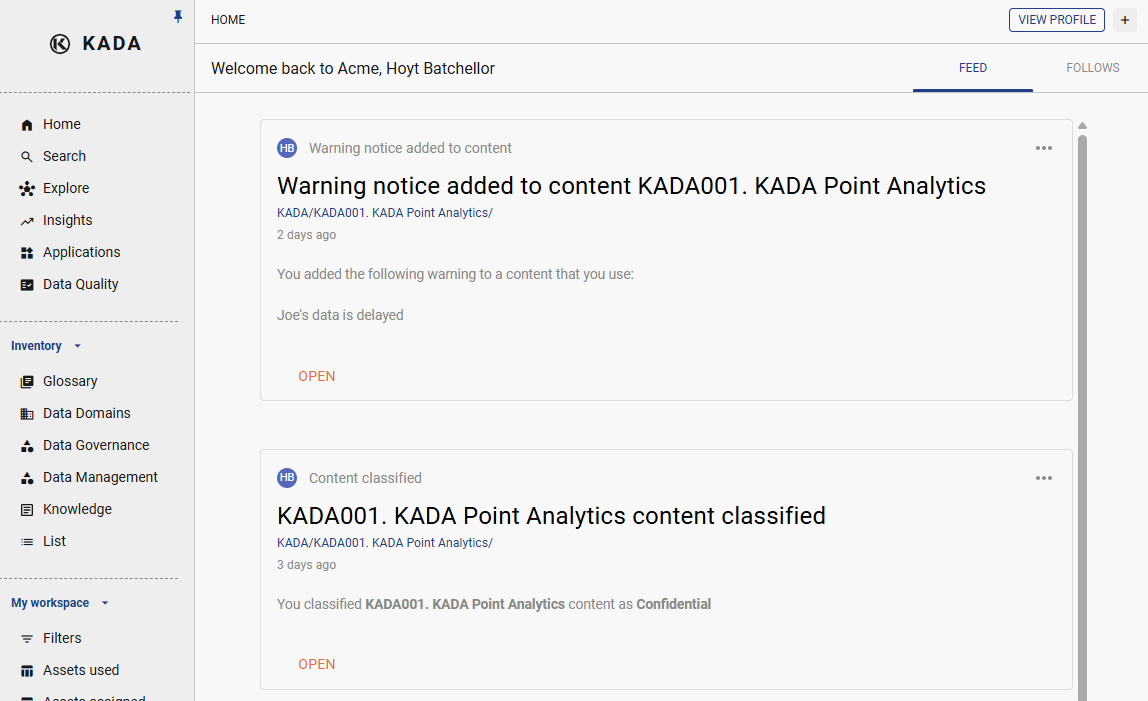
The K Home Page is your personal starting point. It surfaces data assets, reports, and changes that are most relevant to you based on your profile, your team, and the data you use.
Key features on the Home Page include:
K Feed
The K Feed is your personalised homepage stream. It provides regular updates about new and changed data items, policy and term updates from the governance team, and crowdsourced issues, tags, and changes that are relevant to you.
Check the Feed regularly to stay up to date on your part of the data ecosystem.
My Actions
The My Actions widget shows you how many data issues you have been assigned or reported — giving you a quick view of any outstanding governance or data quality actions that require your attention.
My Workspace
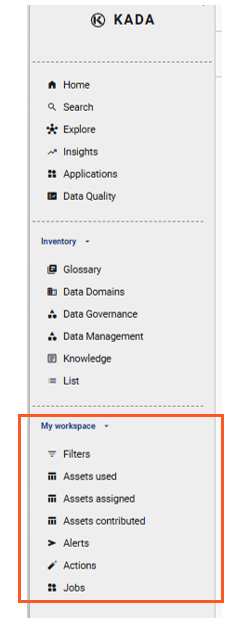
On the side panel, the My Workspace let’s you quickly navigate to:
-
Filter settings that you have previously saved
-
Assets that you have recently used, contributed knowledge to or are assigned
-
Alerts that you’ve set up
-
Bulk actions that you have saved
-
Previous data jobs or extrawcts that you’ve run in
Daily Briefing
The Daily Briefing is an optional email summary sent each morning. It covers key updates from the last 24 hours that are specific to your K profile and the assets you follow.
You can enable or disable the Daily Briefing at any time from your Profile Settings (click your avatar icon in the bottom-left of K).
💡 To set up your personalised experience during onboarding, see the Onboarding to K guide.
Related