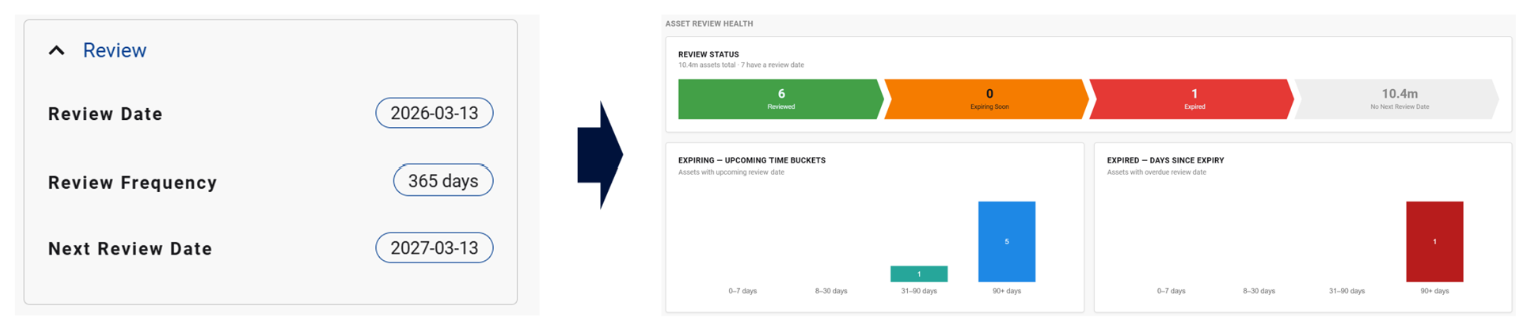
UPDATED IN VERSION 6.1
All data assets can be configured with a review date, a review period and a next review date. You can view the Review details in the side panel
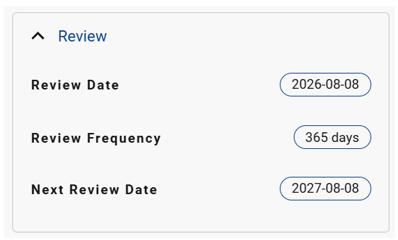
When a user certifies an asset, K will also force the use to confirm the date the asset was reviewed and certified
Setting up the review date
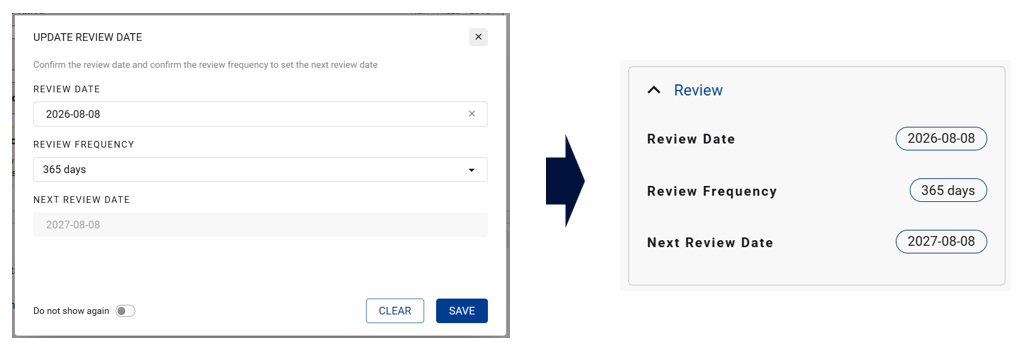
Go to side bar on an Asset Profile page. Click on any field in the Review panel
-
A pop-up box will appear asking you to confirm the next review date frequency.
-
Review frequency options include:
-
90 days
-
180 days
-
365 days
-
-
Next review Date is auto calculated by adding the review frequency to the review date
Setting up a review date alert
Using Search, you can configure a filter that can identify with upcoming review dates. The out of the box options is
-
Next 7 days
-
Next 30 days
Save the search as a saved search and configure an alert to send you (and others) the list of terms that have an upcoming review date

Setting up an Expired Review alert
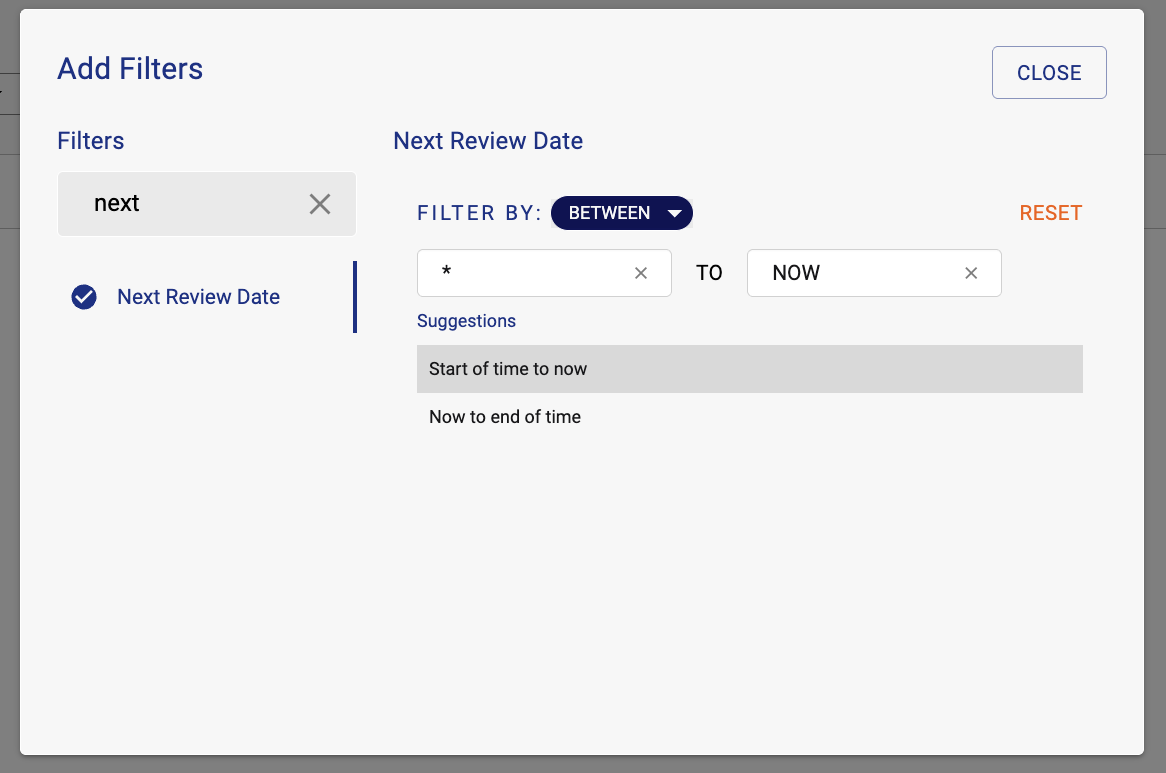
Using the same approach as above, configure the search criteria to look for the next review dates that are in the past.
-
To find ANY expired review dates, use the Between filter type on Next Review date.
-
Set the filter to Start of time to Now (to find all dates in the past).
Monitoring Review Status via Governance Dashboards
Data Governance Managers, Data Managers, Data Owners and Data Stewards have access to the Asset/Collection Governance Dashboards which has a section that allows them to specifically monitor review status.