
Updated in Version 6.0
An issue goes through a workflow from being created, to being in progress, to being completed.
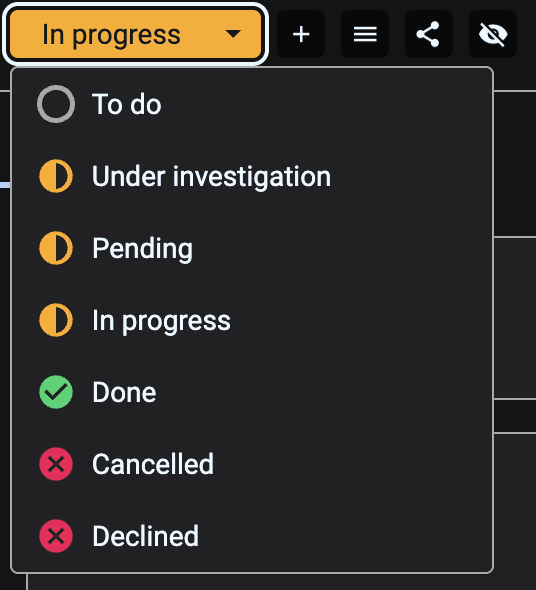
In K, the workflow states are defined as
|
Workflow category |
Workflow status |
Description |
|---|---|---|
|
To do |
To do |
The issue has been created and no work has started |
|
In progress |
Under investigation |
The issue is under investigation |
|
In progress |
Pending |
The issue is currently blocked and is pending an action |
|
In progress |
Under investigation |
The issue is in the progress of being resolved |
|
Done |
Done |
The issue is resolved successfully |
|
Done |
Cancelled |
The issue has been cancelled |
|
Done |
Declined |
The issue has been declined - it is not an issue |
Changing the Issue workflow
Click on the workflow status of an issue to change the status
Assigning an issue to a person
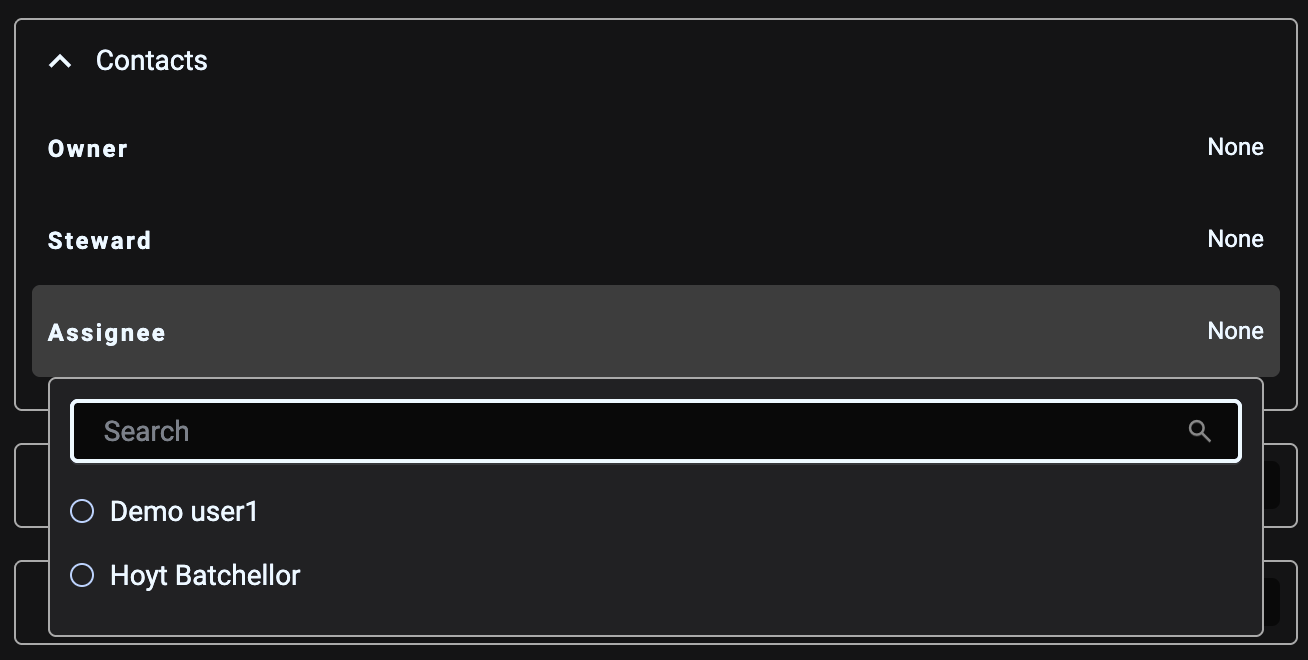
Issues can be assigned to a person for resolution.
In the Details tab click on the assignee to assign the issue to a person.
Assignees must be registered in K before they can be assigned
Assigning the issue priority
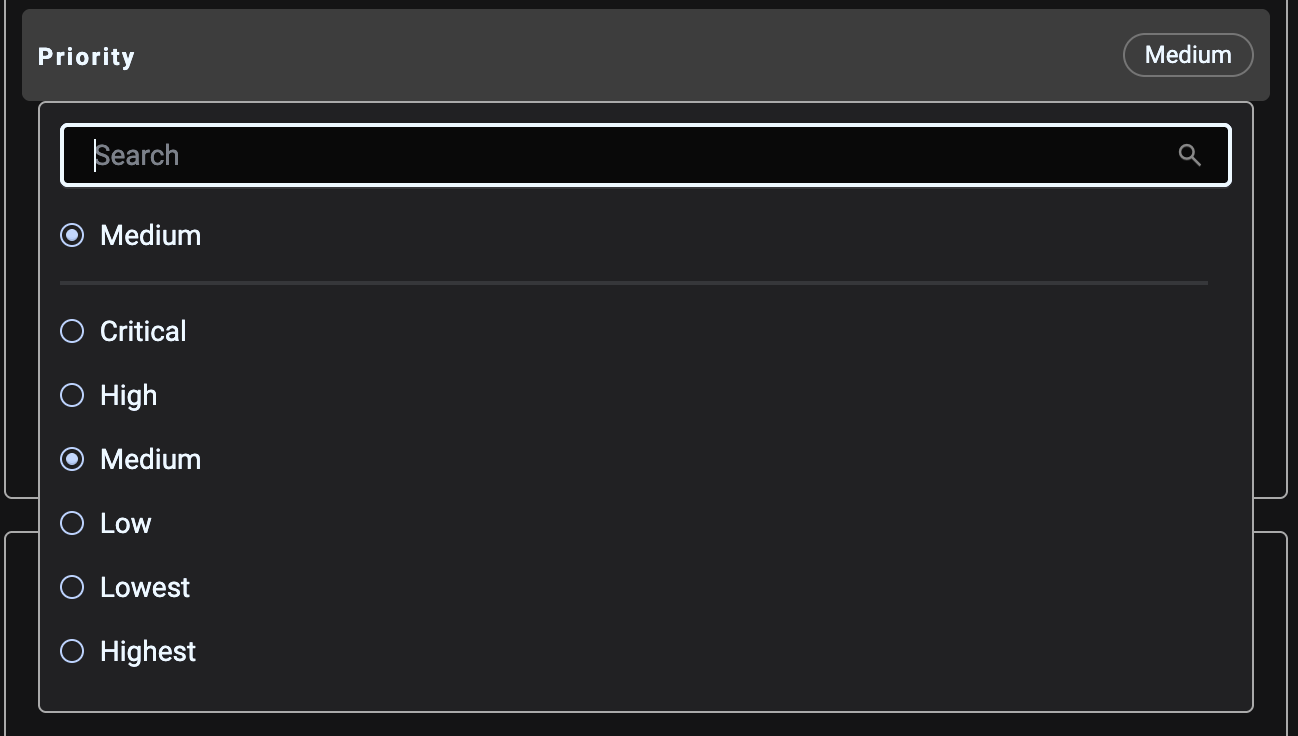
Issues can be a priority. This helps with prioritisation and clarity.
In the Details tab click on Priority to assign or change the Priority.
Updating an issue
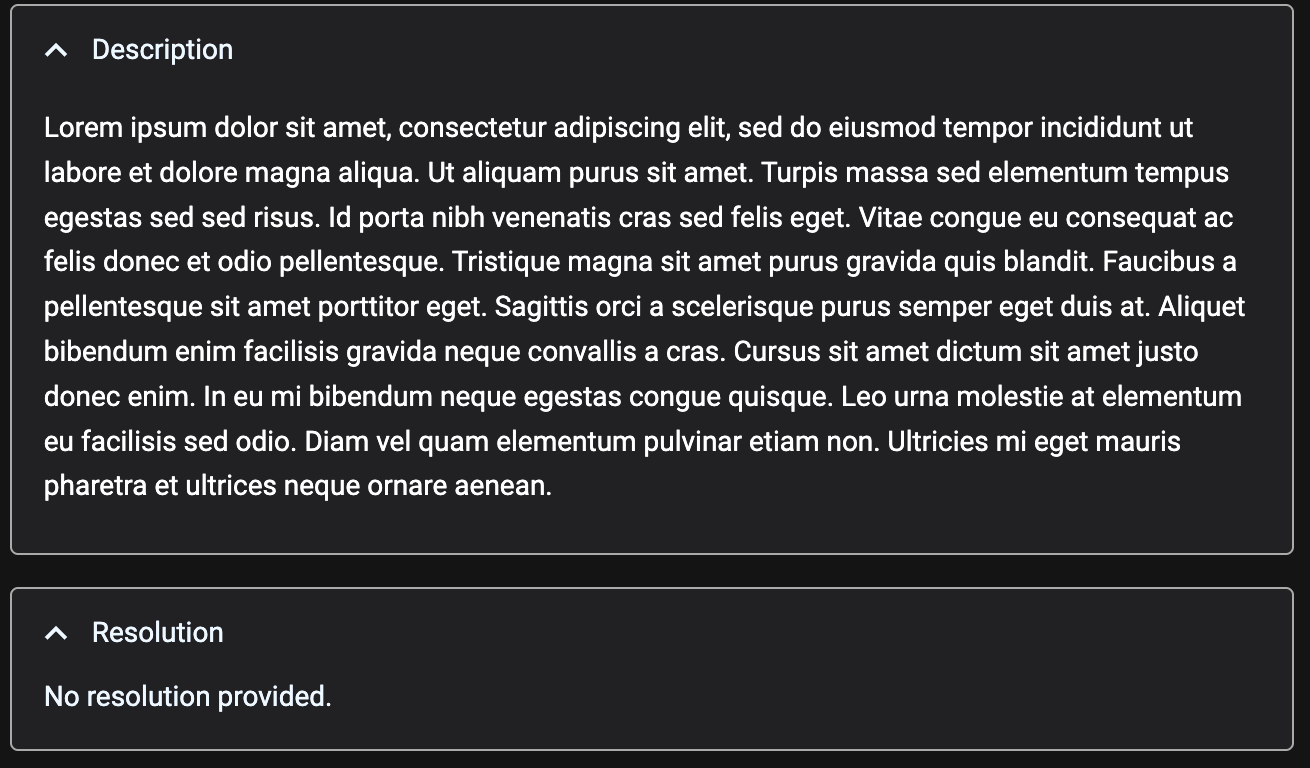
Issues have 2 sections where additional context can be added.
-
Description: Use this to add any updates to the ticket. Add them below any other information provided in the ticket
-
Resolution: Use this to add any resolution to the ticket. Update this field when a solution is found, and/or when the ticket is closed
Discussion threads and file uploads are not currently supported. These are planned for inclusion in an upcoming release
How to manage an issue as a data owner / steward
When an issue is raised about a data asset you manage, use the following steps
-
Set up an issue alert so you are notified when issues are raised
-
Open the issue in K
-
Review the issue description.
-
Update the issue status to the appropriate status
-
e.g. Set it to under investigation if you have commenced the investigation
-
e.g. Decline the issue if the issue is NOT an issue
-
-
Set the priority of the issue
-
Assignee the issue to the appropriate person for resolution
-
If you have setup Jira integration you can also sync the ticket to a Jira ticket that can be assigned to a delivery/technology team
-
-
Work on the issue and add any updates to the Description field
-
Close the issue when it is resolved.
-
Update the Review date and set a next review date if there is any follow on actions
-
Update the Workflow status to Done, Cancelled or Declined
-
Update the Resolution field with the resolution
-