
NEW IN VERSION 6.2
K uses one governance documentation standard for every data asset. An asset is fully governed when six core attributes are documented. Governance Progress shows how far each asset is against that standard, so you can see what's done, what's missing and where to focus next.
You can track progress in two places:
-
Sidebar: the progress of a single data asset, on its Data Profile page
-
Governance Dashboards: progress across your data assets or collections
The governance documentation standard
A data asset's governance status is marked as complete when all of the following attributes have been documented.
|
Attribute |
Description |
|---|---|
|
Owner or Steward |
At least one Data Owner or Data Steward is assigned to the asset. |
|
Domain |
The asset is assigned to a domain. |
|
Description |
The asset has a documented description. |
|
Classification |
The asset has a classification. |
|
Category |
The asset has a category. |
|
Use case |
At least one use case is specified in Verified For or Do Not Use For. |
Each asset has one of three governance statuses:
-
Not started: none of the attributes have been documented
-
Partial: some of the attributes have been documented
-
Completed: all six attributes have been documented
Tracking progress on a data asset
Governance Progress appears in the Details section of the Sidebar on every Data Profile page.
-
Click the governance status to see which attributes are complete and which still need work
-
Update the missing attributes directly in the sidebar
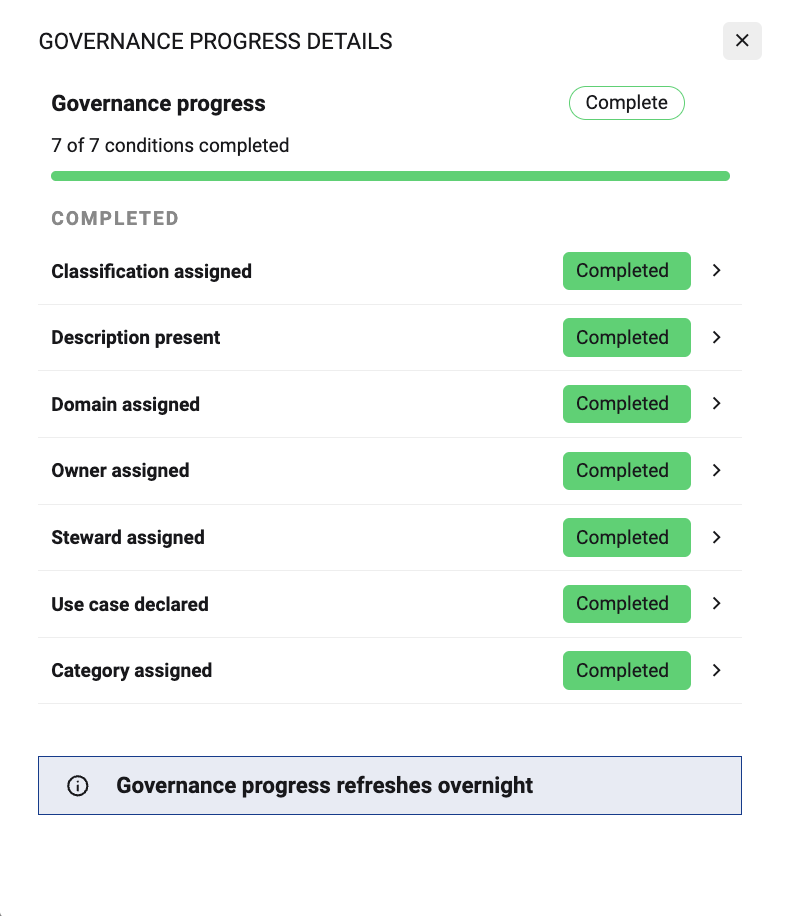
Governance Progress is calculated daily. Changes you make today will be reflected in the status the following day.
Tracking progress across your data ecosystem
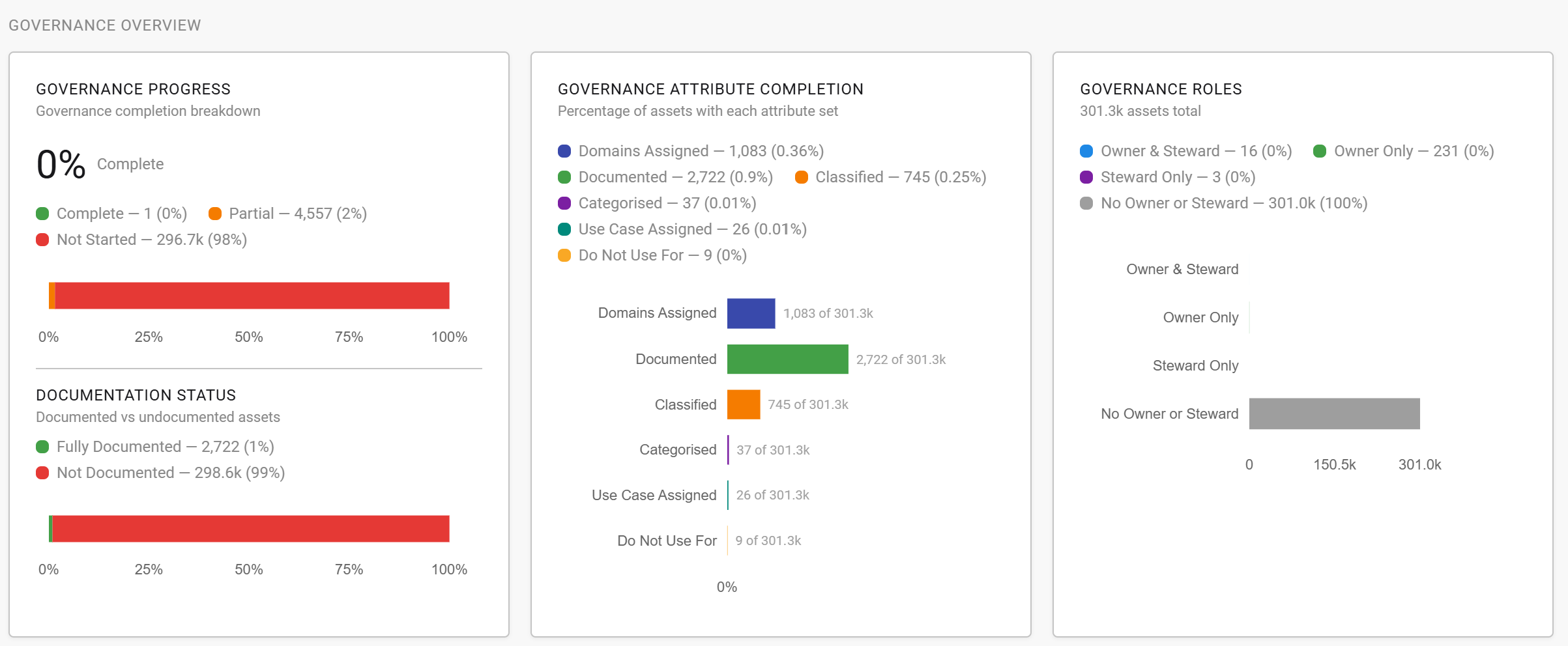
The Governance Dashboards roll up the same standard across many assets. Use the Asset Governance Dashboard for data assets, or the Collection Governance Dashboard to track assets by collection.
|
Dashboard section |
What it shows |
|---|---|
|
Governance Overview |
Overall governance progress for the filtered assets or collection. |
|
Workflow Status |
Which assets have been fully certified and which are still in progress. |
|
Attribute Breakdown |
The Top 5 values for each governance attribute. |
|
Priority Status |
Governance progress for your Critical priority assets. |
|
Asset Review Health |
Assets coming up for review soon or with an expired review date. |
💡 Drill through on any graph to see the underlying assets in search. From there you can update them in bulk, or save the search and set up an alert to monitor them.
Recommended approach
Governing every asset at once isn't realistic. Use Governance Progress to work through your estate in a steady order.
-
Start with what matters most. Set a Priority on your critical assets and track them in the Priority Status section.
-
Assign accountability first. Link Data Owners and Stewards so each asset has someone responsible for completing the rest.
-
Close gaps in bulk. Drill through from the Attribute Breakdown and use Bulk Action, Cascade Update or Bulk Edit via Excel Upload to update many assets at once.
-
Keep it current. Set a review date on governed assets and use Asset Review Health to catch reviews before they expire.
Related