Updated in Version 6.0
Sometimes you may want to update a property for all columns and tables associated with a schema. Cascade Update is a quick way to perform this type of bulk update from a parent asset downwards.
Example: When you perform a Cascade Update on a schema, all tables and columns that are part of that schema will be updated.
Access: Only Data Governance Managers, Data Managers, and Admin users have access to Cascade Update.
How to perform a Cascade Update
Navigate to the Profile Page of the parent asset you want to update (e.g. a database, schema, table, or report).
-
Step 1) Click the Options button at the top right corner.
-
Step 2) Click Cascade Update.

-
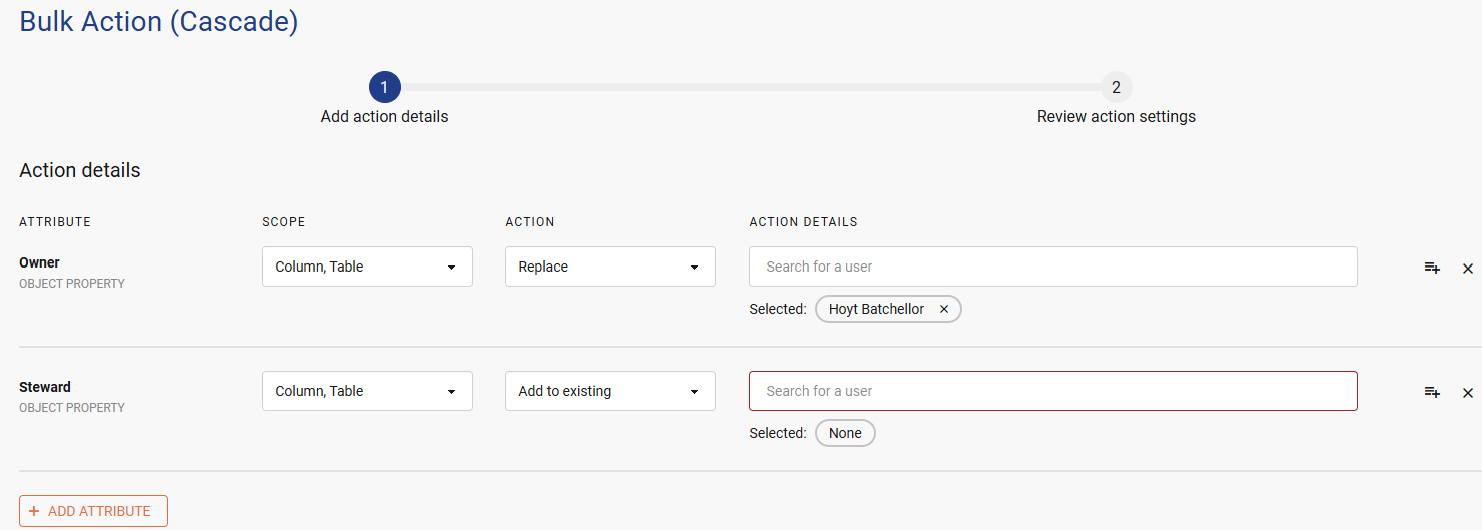
Step 3) Select all of the properties you would like to update and confirm the changes you want to make.
-
Step 4) Click Next.
-
Step 5) Review the changes and the data assets that will be updated. When you are ready, click Submit.
-
Step 6) Your Cascade Update job will be submitted.

Viewing previous Cascade Update jobs
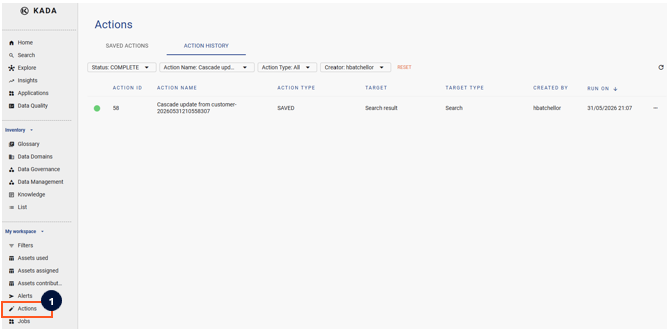
You can view all previous Cascade Update jobs by navigating to the Actions Page