
Updated in Version 6.0
Once you create a Collection, you create instances to fill out the collection. You can then link those instances to Data Items manually or via rules.
Instances are items that make up a collection. They can be Terms in a Glossary Collection, Critical Data Elements in a Governance Collection, or Source Systems in a Data Management Collection.
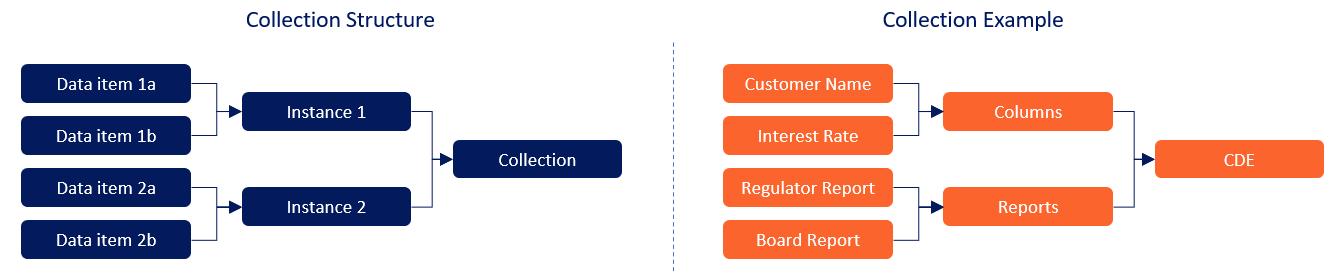
In the above example, Instance 1 is Columns and the two data items linked to it are Customer Name and Interest Rate
This function is currently restricted to Data Governance Managers and Data Managers
How to Create an Instance
-
Via the Inventory, locate open the Collection you want to update
-
Click Create

-
Complete the form and click Add
-
Names must be unique within a collection
-
The name is case insensitive
-
-
Link your data items to the new instances you’ve just created.