
NEW IN RELEASE 6.1
This guide is for users with Edit permission — granted either through a Role Permission, or by being the Data Owner or Data Steward on that specific asset.
Supressing items vs Suppressing edges
It's easy to conflate these. They look similar but behave very differently:
|
Action |
Scope |
Does it stop downstream propagation? |
|---|---|---|
|
Suppress an item (a Term, Warning, Issue, or DQ test) on one asset |
Local to that one relationship, on that one asset |
No — the item keeps propagating past this asset to whatever's downstream of it |
|
Suppress or deactivate the lineage edge itself |
Everything travelling across that specific edge |
Yes — nothing crosses that edge anymore, in either direction it would have travelled |
The rest of this guide covers suppressing an item. Deactivating a lineage edge is done from the Lineage tab's edge detail view, not the link modal described below.
Suppressing a Propagated Item
Step 1: Find the item you want to suppress
On the asset's profile go to the item you want to suppress. This could be a propagated Term, Issue, Warning or Upstream DQ test that is not relevant.
Rolled-up items can't be suppressed on the parent. If the item you're looking at is marked "Roll up," it's display only on this asset — you'll need to suppress it at the child asset where it originally arrived instead. The parent will pick up the change on the next daily run.
Step 2: Select suppress from the item’s action options
Select the suppress option to hide the propagated item.
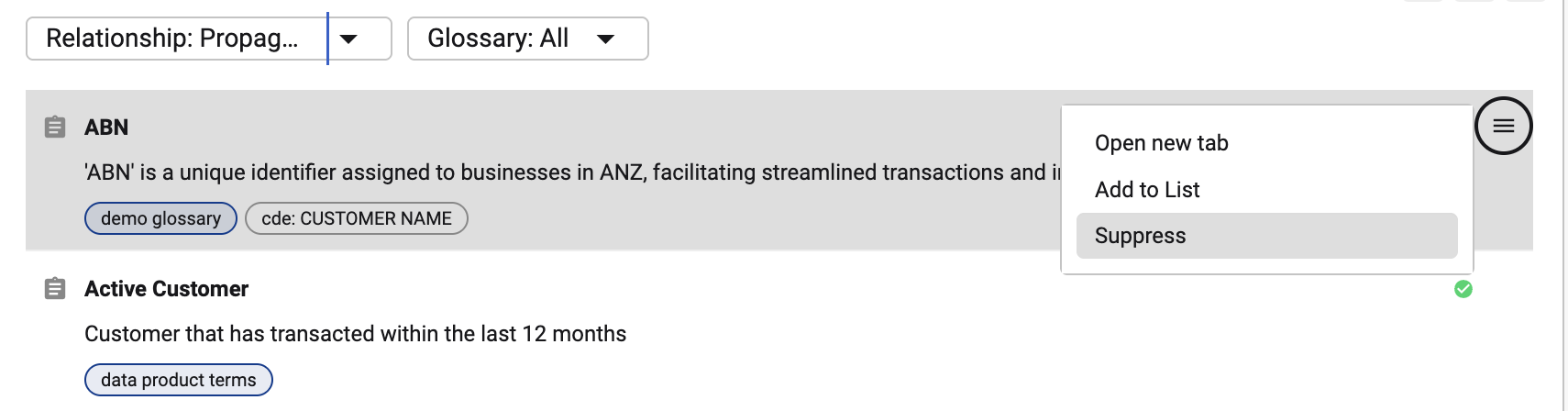
Step 2 (Alternative): Supress from the link modal
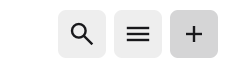
Open the relevant section's link modal by clicking on the Add button in that section.
Propagated items are indicated by the Auto icon
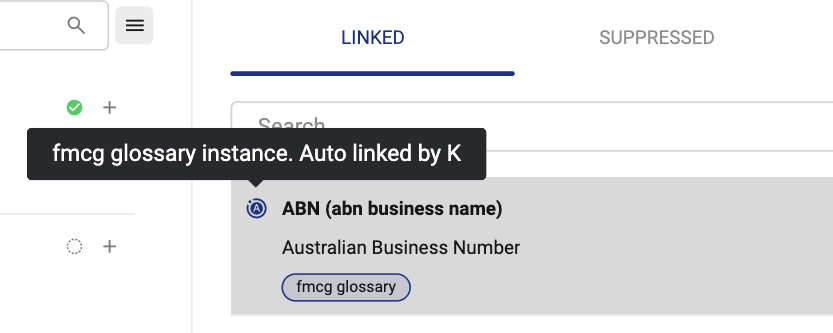
Select the Linked item and click on the X button to suppress the item.

The item moves to the Suppressed view and disappears from the active list. It will not be re-created by later daily job runs — suppression is remembered independently of the recalculated lineage and re-applied every time.
Suppression only affects that one relationship on that one asset. If the same item also reaches this asset through a different, unsuppressed path, it will still appear.
Step 3: Restore a suppressed item (if needed)
Open the link modal and select the Suppressed tab to see all items that are currently suppressed
Click on the + button to reverse the suppression
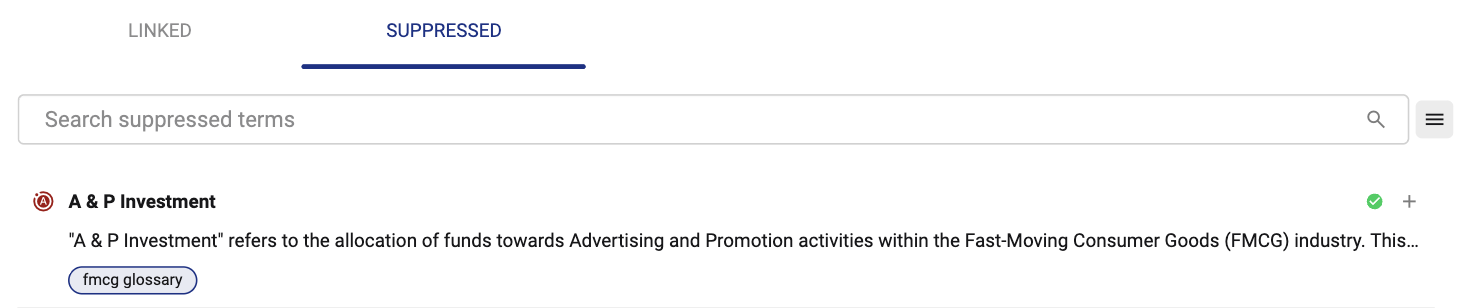
Tips
|
Situation |
What's happening |
What to do |
|---|---|---|
|
An item is "Rolled up" and I can't suppress it here |
Rolled-up items are display only on the parent |
Suppress it at the child asset it arrived from instead |
|
A suppressed item reappeared |
It's reaching the asset through a different relationship than the one you suppressed. This happens if the item is both directly linked AND propagated from upstream. |
Remove the direct link AND the propagated link if the item is incorrectly associated. |
|
I suppressed something but it still shows on a downstream asset |
Suppression is local to the asset it was set on and never blocks what's downstream |
This is expected. If you need to stop it from reaching everything downstream, deactivate the lineage edge instead of suppressing the item — see the table above |