
New in Version 6.1
Only Platform Admins can add, edit or delete a Workspace
Before anyone can import tables, profile data, or create rules, a Platform Admin needs to create a workspace.
Adding your first workspace
When you first log into KDQ Agentic you will need to create a new workspace.
-
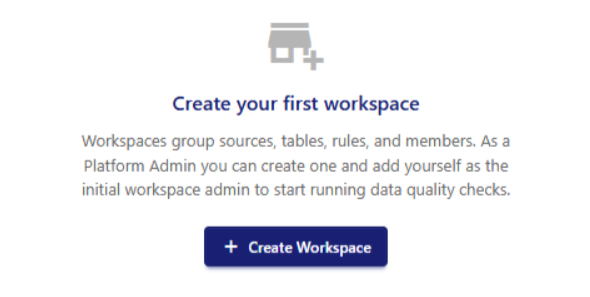
On your home page click Create Workspace
-
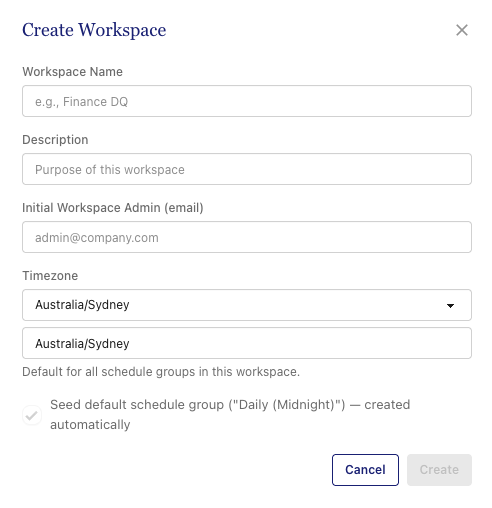
Fill in your workspace details
-
Workspace name: Give your workspace a name.
-
Description: Provide a description for the workspace to make discovery easy
-
Initial Workspace Admin: Assign the first workspace admin - use the SSO email for the admin
-
Timezone: Configure the timezone for the workspace.
-
Adding a new workspace
-
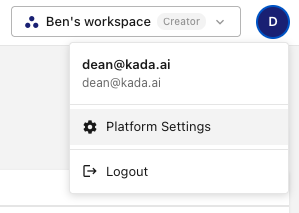
Click on your avatar in the top right corner
-
Select Platform Settings
-
On the Workspaces tab click on Create Workspace.
-
Follow the steps to add a new workspace.