
Updated in Version 6.0
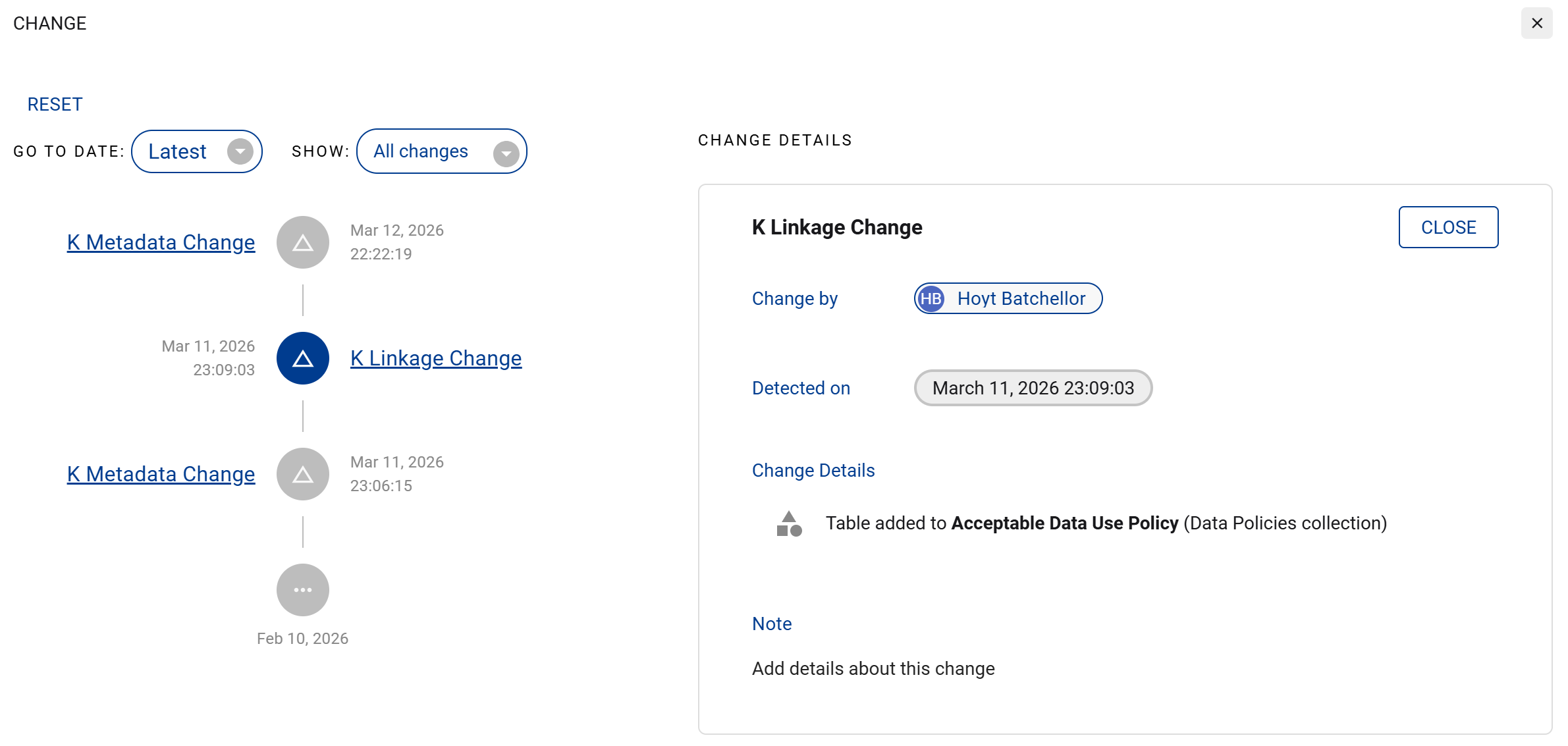
K helps you catalog and identify changes to data items through automated change detection. On each data profile page you can click on the Changes tab to view a timeline of changes detected.
Automated Change Detection
When data and content items change in structure (such as a column being added to a Table or a sheet being added to a Report), K will catalog the change and notify impacted users automatically.
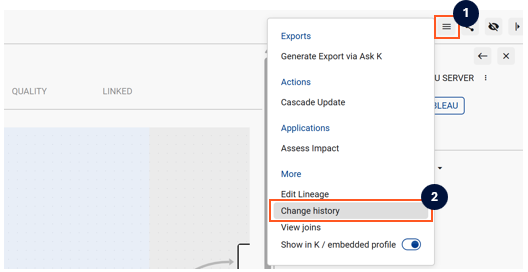
To access the Change History, click on the menu icon and then Change history.
For each change that is detected, you can click in the Note section and add details about the change to help other users understand the context of the change.
Types of Change Automatically Detected
K has the ability to detect the following types of change:
|
Type of Data Asset |
Changes Detected |
|---|---|
|
Table |
|
|
Column |
|
|
Report |
|
|
Sheet |
|
|
Dataset |
|
|
Dataset Table |
|
|
Dataset Field |
|
|
Schema |
|
|
K Metadata |
|
|
K Linkage |
|
Metadata Change Management
When you update a description, add collection links, change status, or make other profile changes, K catalogues those changes and notifies relevant users.
These appear in the Timeline tab under K metadata changes and K linkage changes.