
Updated in Version 6.0
The Overview Tab provides a quick overview of the data asset and contains helpful information that can be tailored by your team.
Description
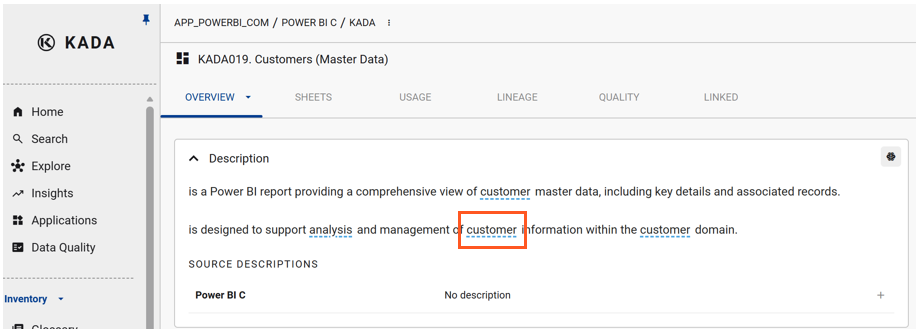
When you write a description for a data asset, K will automatically search the words to suggest whether there are associated terms in your Business Glossary that you may want to link.
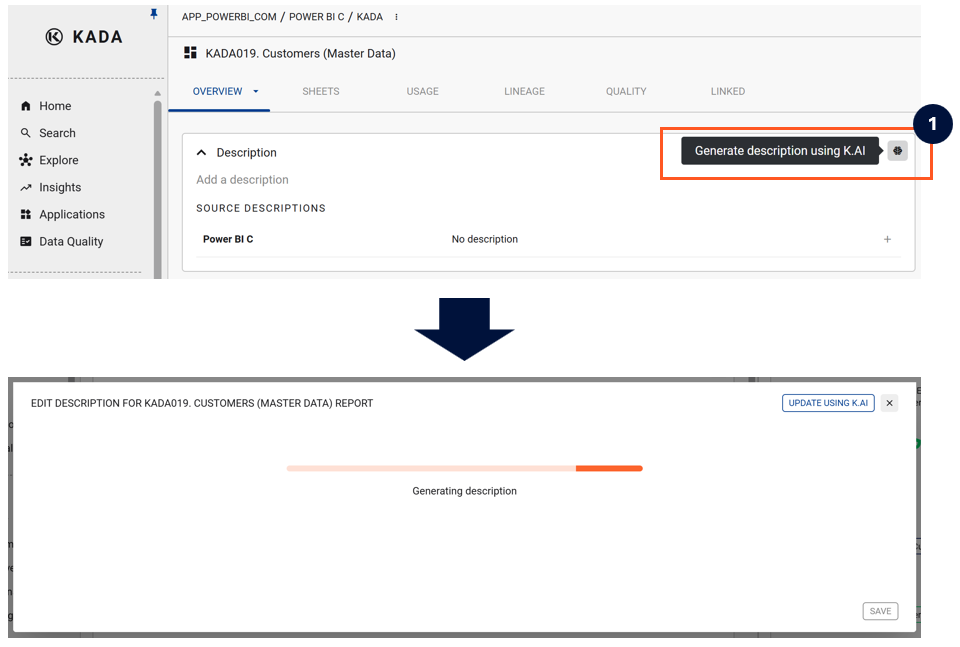
Where no description exists, you can use K.ai to auto-generate one. K.ai uses Large Language Models to generate descriptions for your data and analytics content, significantly reducing the time required to document your data ecosystem.
Terms
Based on the words in your description, K will automatically suggest terms to link to your data asset.
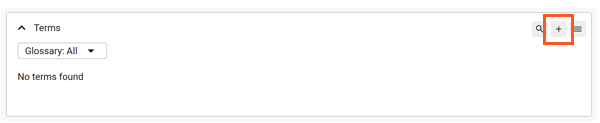
You can also manually search for terms to link by clicking the Add button.
Properties
You can manually add properties to help users better understand the data asset. These are manually added and have not been reviewed or validated by K automatically.
Access
Through analysing metadata, K will automatically display the role profiles that have access to this specific data asset.
Code
Where relevant for the asset type, K can display the code associated with the data asset — for example, the SQL definition of a view or the transformation logic of a pipeline.
Related