
This page will guide you through the setup of Thoughtspot in K using the direct connect method.
Integration details
|
Scope |
Included |
Comments |
|---|---|---|
|
Metadata |
YES |
|
|
Lineage |
YES |
|
|
Usage |
No |
Currently in planning |
|
Sensitive Data Scanner |
N/A |
|
Step 1) Create a KADA user
-
Log into your Thoughtspot account
-
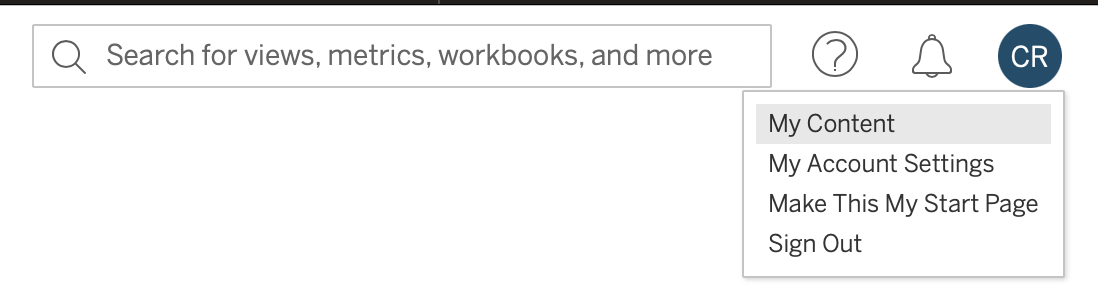
Create a user account using the instructions provided in this link: https://docs.thoughtspot.com/software/latest/user-management
-
User account must be a local account (i.e. not via SSO authentication)
-
Add the User to a group that has
-
Can administer ThoughtSpot privilege or
-
Can manage data, Can manage catalog
The group with Can administer ThoughtSpot will be given access to all objects by default. The group with Can manage data, Can manage catalog will need to be added to each object you want to load into K.
-
Note: the user will use the following Thoughtspot V1 APIs to extract metadata:
-
tspublic/v1/metadata/list -
tspublic/v1/metadata/details -
tspublic/v1/session/orgs -
tspublic/v1/session/org -
tspublic/v1/session/login
Access to Thoughtspot assets is required in order for the APIs to provide metadata about the assets. There is no metadata read only privilege for all assets available in Thoughtspot.
Step 2) Setup the source in K
-
Log into K
-
Select Platform Settings in the side bar
-
In the pop-out side panel, under Integrations click on Sources
-
Click Add Source and select Thoughtspot
-
Select Direct Connect
-
Fill in the Source Settings and click Save & Next
-
Name: Give the Thoughtspot source a name in K
-
e.g. Acme Inc Thoughtspot
-
-
Host: Use your Thoughtspot base URL
-
e.g. app.thoughtspot.com
-
-
Organisation IDs: This is the organisation ID for your Thoughtspot instance. It can be found in your Admin console under Settings.
-
e.g. 2014023163
If you are unable to locate the Organisation ID through the Admin console, you may use this python script instead to list the IDs:
Pythonimport requests import json BASE_URL = 'REPLACE BASE URL' # e.g. https://kada.thoughtspot.cloud LOGIN_URL = BASE_URL + '/callosum/v1/tspublic/v1/session/login' ORG_URL = BASE_URL + '/callosum/v1/tspublic/v1/session/orgs' data = { 'username': "REPLACE USERNAME", 'password': "REPLACE PASSWORD" } with requests.Session() as session: session.post(LOGIN_URL, verify=True, data=data) res = session.get(ORG_URL, verify=True) res_json = json.loads(res.text) for org in res_json.get('orgs', []): print("Org Name: {}, Org Id: {}".format(org['orgName'], org['orgId']))
-
-
Update the Host / Database mapping. This step can be completed after the initial load via the guided workflow.
-
-
Enter your credentials and click Save
-
Username: Enter the name of the user you created in Step 1
-
Password: Add the password of the user you created in Step 1
-
-
Check the connection by clicking Test connection
-
Click Save & Finish
Step 3) Manually run an ad hoc load to test Thoughtspot setup
-
Select Platform Settings in the side bar
-
In the pop-out side panel, under Platform Settings click on Sources
-
Next to the Source click on the menu icon and select Run
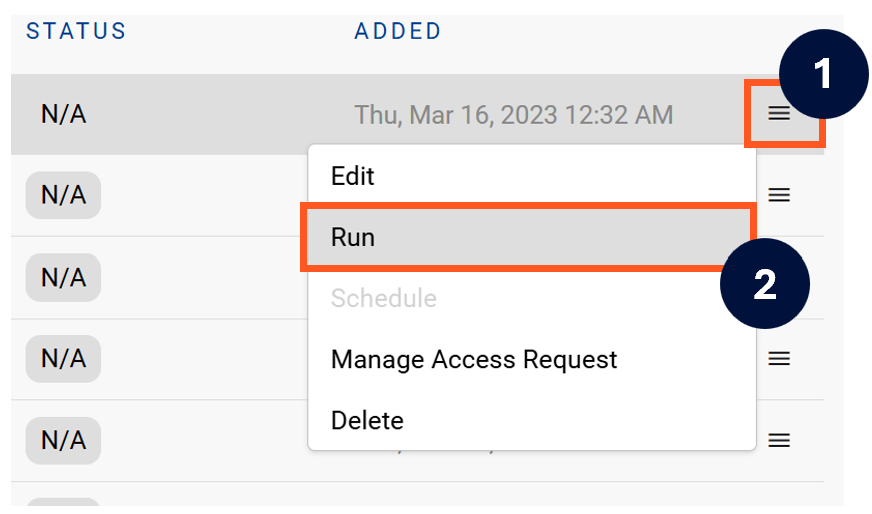
-
After the manual run is triggered, a pop up bar will appear containing a link that can take you to the Monitor tab where you can check the progress of the job.
Troubleshooting failed loads
-
If the job failed at the extraction step
-
Check the error. Contact KADA Support if required.
-
Rerun the source job
-
-
If the job failed at the load step, the landing folder failed directory will contain the file with issues.
-
Find the bad record and fix the file
-
Rerun the source job
-