
The below PowerShell Script can be used to automate the process of adding the created KADA Service Principal to Workspaces to unlock detailed lineage.
Requirements
-
A PowerBI Admin / Fabric Admin account
-
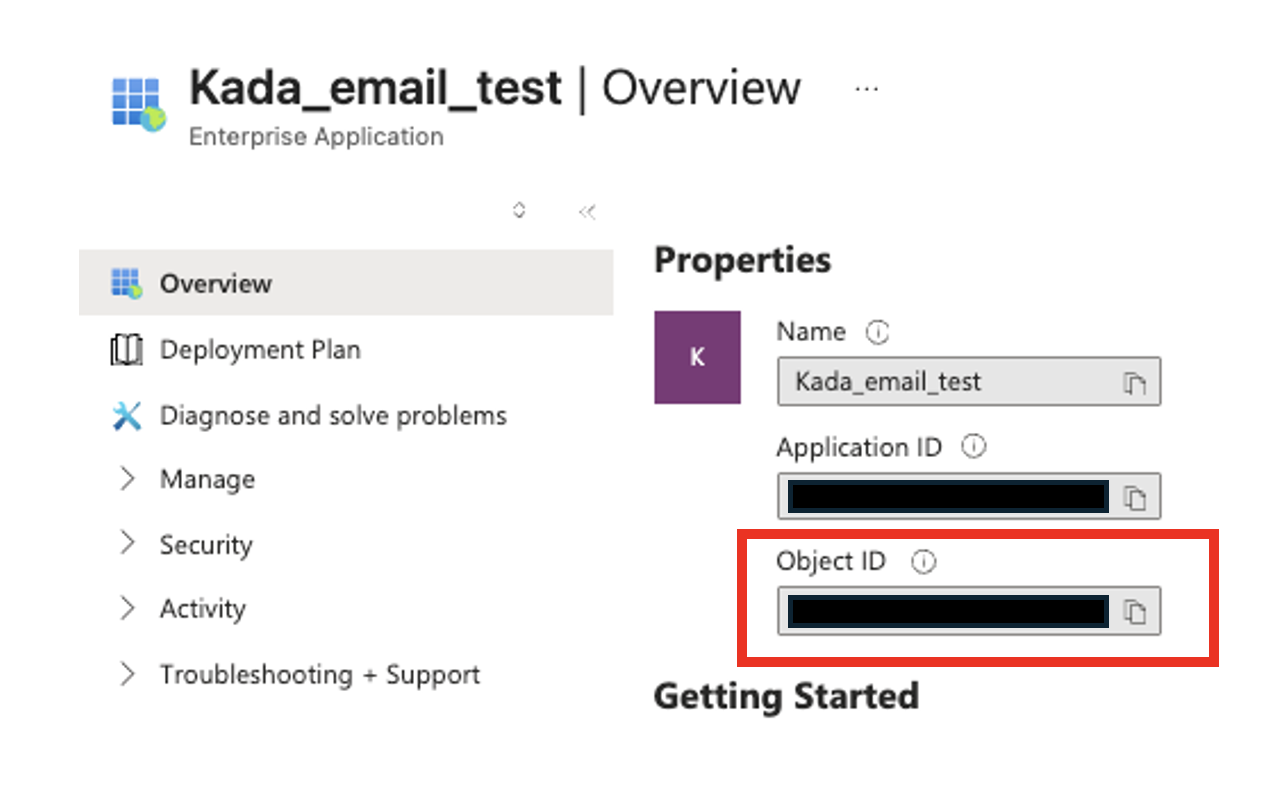
Service Principal’s Enterprise Object ID
The Object ID required here is the Enterprise App ID. Navigate to Microsoft Entra ID > Enterprise applications, select the application, and copy the Object ID from the Overview tab.
PowerShell Script
Replace the identifier with the Enterprise Object ID.
# Install Power BI module
Install-Module -Name MicrosoftPowerBIMgmt -Scope CurrentUser -Force
# Import the module
Import-Module MicrosoftPowerBIMgmt
 # Login with Fabric Admin/PBI Admin account
Connect-PowerBIServiceAccount
# Adding Service Principal to All Workspaces
Get-PowerBIWorkspace -Scope Organization -All -WarningAction Ignore |
    Where-Object {
        $_.State -eq "Active" -and $_.Type -eq "Workspace"
    } |
    ForEach-Object {
        $Workspace = $_
        $Body = @{
            identifier = "{SERVICE PRINCIPAL OBJECT ID}"
            groupUserAccessRight = "Member"
            principalType = "App"
        } | ConvertTo-Json
        try {
            Invoke-PowerBIRestMethod -Method POST `
                -Url "admin/groups/$($Workspace.Id)/users" `
                -Body $Body `
                -ErrorAction Stop
            Write-Host "✓ Added to: $($Workspace.Name)" -ForegroundColor Green
            Start-Sleep -Milliseconds 500
        } catch {
            $errorMessage = $_.Exception.Message
            if ($_.ErrorDetails.Message) {
                try {
                    $errorObj = $_.ErrorDetails.Message | ConvertFrom-Json
                    $errorMessage = $errorObj.error.message
                } catch {}
            }
            if ($errorMessage -like "*already*") {
                Write-Host "○ Already member: $($Workspace.Name)" -ForegroundColor Yellow
            } else {
                Write-Host "✗ Error on $($Workspace.Name): $errorMessage" -ForegroundColor Red
            }
        }
    }
The above method allows for adding users/applications to workspaces whether or not the Admin account is a member of the workspace.
The below Endpoint will remove the specified Service Principal from specified Workspace if required.
Invoke-PowerBIRestMethod -Method DELETE `
    -Url "https://api.powerbi.com/v1.0/myorg/groups/{WORKSPACE ID}/users/{SERVICE PRINCIPAL OBJECT ID}"