
K offers different ways to categorise and group your data assets. This page will help articulate the benefits of using a Tag or Collection to group your data assets.
How to view Tags and Collections
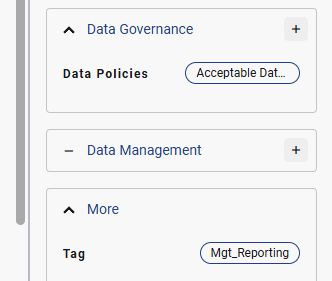
You can both collections and tags on the Data Profile page in the side panel
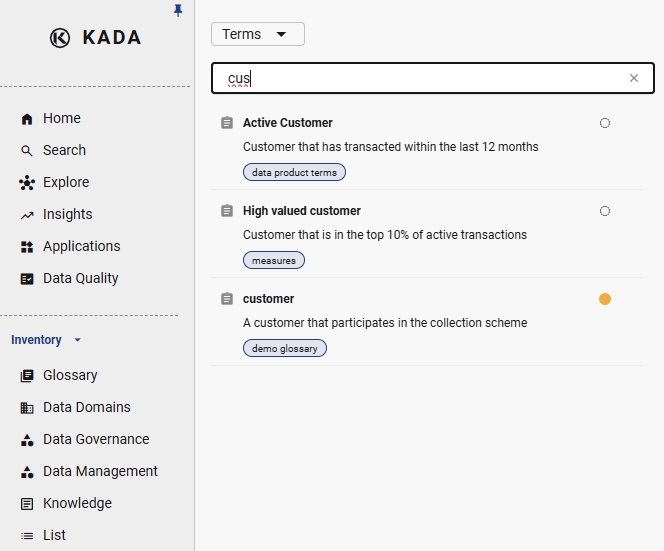
You can also search for collections via Inventory section.
Benefits of using a Collection
Collections can be considered as a governed group of tags that can have hierarchies and structures. Collections are an ideal way to group data when you have a specific structure in mind and want all data users to align with a framework.
Examples of key Collections in the K Platform include:
-
Business Glossaries
-
Classifications
-
Automated K Platform collections (e.g. PII Detected)
With Collections, the K Admin team can restrict which K roles have the ability to create or link collections. For those with the ability to create new collections, you can create a range of collections to help you with:
-
Data Management: Create Data Management collections to organise management-related concepts such as Source System labels.
-
Data Governance: Create collections to organise governance-related concepts such as Critical Data Element.
The other benefit of using Collections is that, as they are governed and have a defined structure, Collection Owners have the ability to run a Collection Governance Report.
Refer to the Collections page for more information.
Benefits of using a Tag
Tags are ungoverned. This means that any user can create a tag and can freely choose how to label it.
Tags are great tools for teams to create custom bespoke labels that help them quickly locate niche data items. As there is no governance or monitoring of tags, teams also have the flexibility to update and change tags whenever they want, including performing bulk changes to tags.
For teams that are disciplined in naming conventions, they can also create mini groups of tags — but these tags will not have any hierarchies or be linked.